





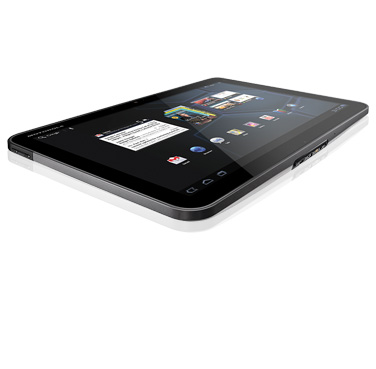
This guide is part of the xoom series
1.
Clear the cache in the motorola xoom browser
2. How to add a Facebook button to the xoom desktop
3. How to check your xoom android version
4. How to clear search history on a xoom web browser
5. How to lock and prevent screen rotation on a xoom
6. How to use the Motorola Xoom
7. How to view search history on the xoom
8. Place a bookmark shortcut on your xoom home screen
9. Place a website shortcut on your xoom home screen
10. Transfer pictures from your xoom to your computer
2. How to add a Facebook button to the xoom desktop
3. How to check your xoom android version
4. How to clear search history on a xoom web browser
5. How to lock and prevent screen rotation on a xoom
6. How to use the Motorola Xoom
7. How to view search history on the xoom
8. Place a bookmark shortcut on your xoom home screen
9. Place a website shortcut on your xoom home screen
10. Transfer pictures from your xoom to your computer
Make: Motorola
Model / Product: Xoom
Version: Android 3.1
Objective / Info: Learn to add a website icon to your Xoom desktop.
Model / Product: Xoom
Version: Android 3.1
Objective / Info: Learn to add a website icon to your Xoom desktop.
1
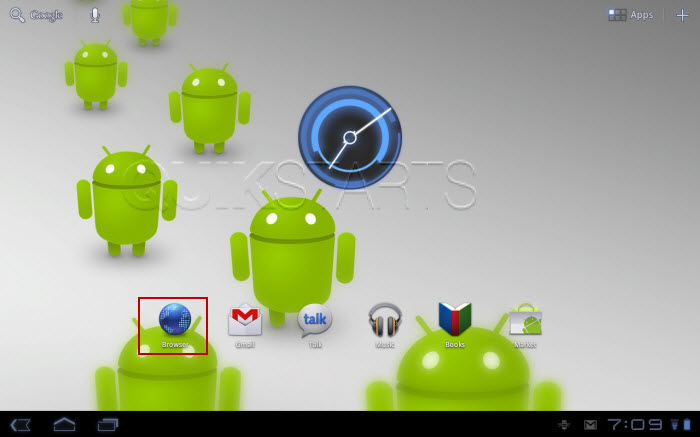
Tap the browser icon on your home screen.
Note :
In this example we used Google.com.
2
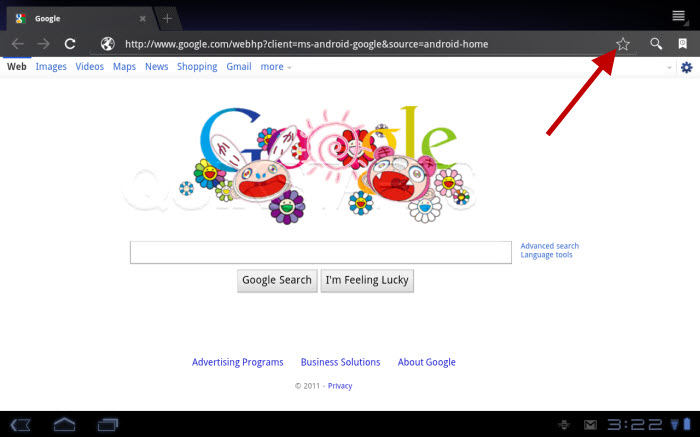
Tap the star icon in the upper right hand corner next to the url field.
3
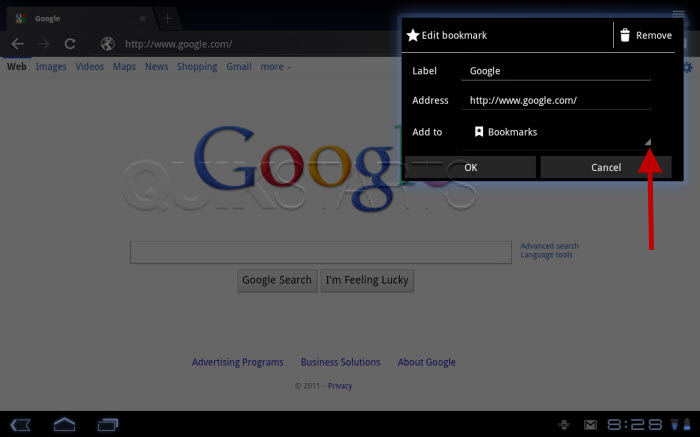
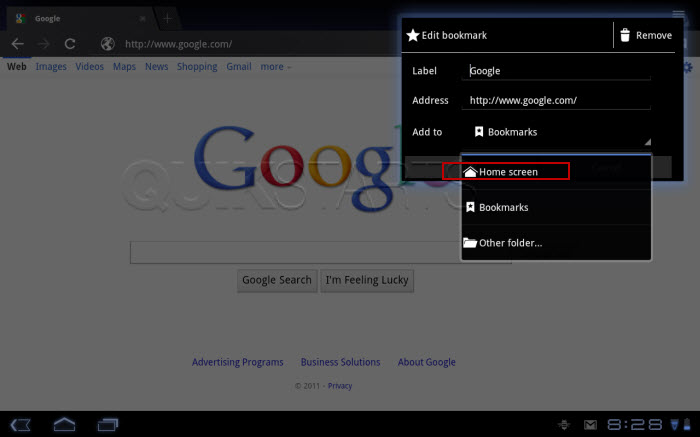
Tap the "Add to" drop down screen.
4
Tap the "Home screen" option.
5
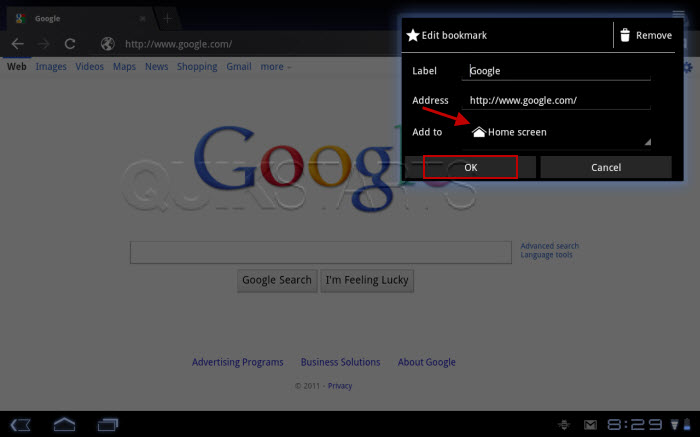
Tap the "Ok" button.
6
An icon should have been placed on your desktop. To confirm, tap the home button in the lower left hand corner to return to the desktop.

7
This task should now be complete. If not, review and repeat the steps as needed. Submit any questions using the section at the bottom of this page.
comments powered by Disqus
 Ask a question or provide an answer