






1. How to enable dark mode in Claude
Make: Anthropic
Model / Product: Claude
Version: 5
Objective / Info: Learn how to enable dark mode in Claude AI.
Model / Product: Claude
Version: 5
Objective / Info: Learn how to enable dark mode in Claude AI.
1
Click on your username, then click "Settings", which should open a window.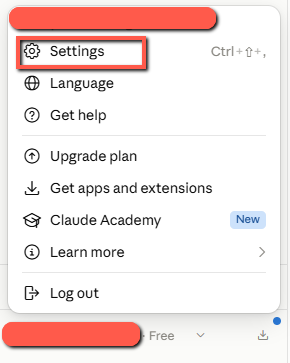
2
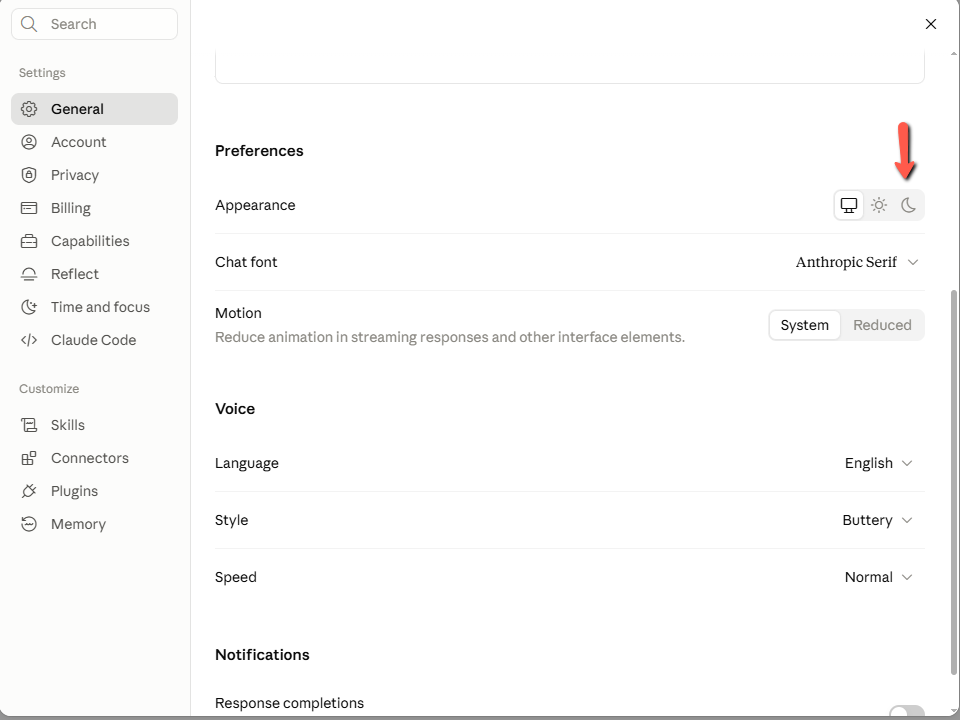
Scroll down to "Preferences", and in the "Appearance" section, click on the moon icon, then close the window
3
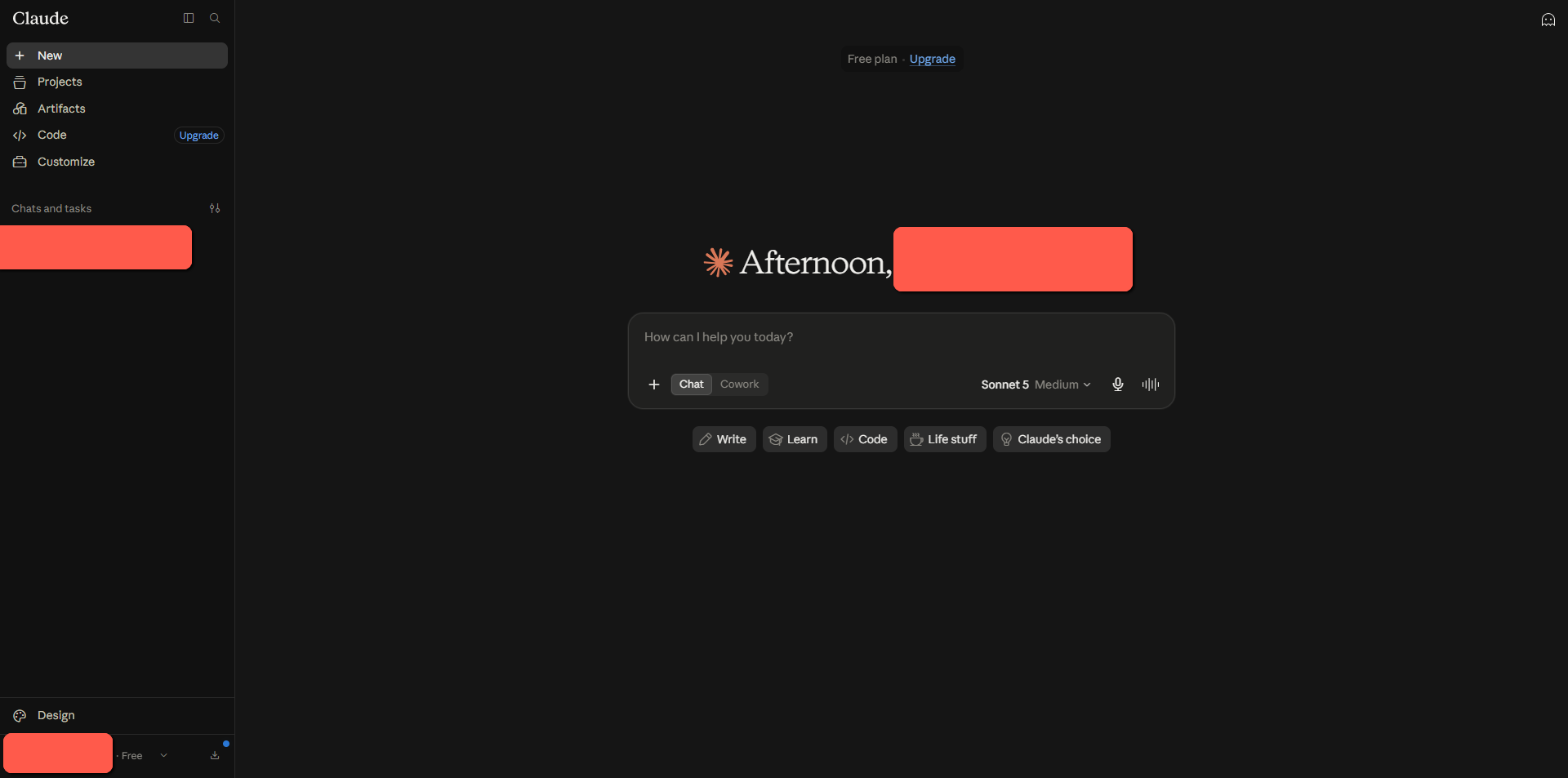
Claude should now be in dark mode.
4
This task should be complete. Review the steps if you had any issues and try again. Submit questions or request for more guides in the questions section below.
comments powered by Disqus
 Ask a question or provide an answer