






This guide is part of the Microsoft Word 2010 series
1.
How to add a URL to a word 2010 document
2. How to change the hyperlink color in word 2010
3. How to convert a word 2010 file into a pdf
4. How to insert a url into a word 2010 document
5. How to password protect a word 2010 document
6. How to use auto save in word 2010
7. How to use Microsoft word 2010
8. How to use track changes in word 2010
2. How to change the hyperlink color in word 2010
3. How to convert a word 2010 file into a pdf
4. How to insert a url into a word 2010 document
5. How to password protect a word 2010 document
6. How to use auto save in word 2010
7. How to use Microsoft word 2010
8. How to use track changes in word 2010
Make: Microsoft
Model / Product: Word
Version: 2010
Objective / Info: Learn how to insert a url into an existing word 2010 document.
Model / Product: Word
Version: 2010
Objective / Info: Learn how to insert a url into an existing word 2010 document.
1
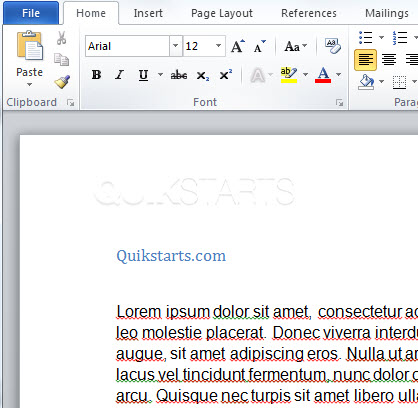
Open your existing word document.
2
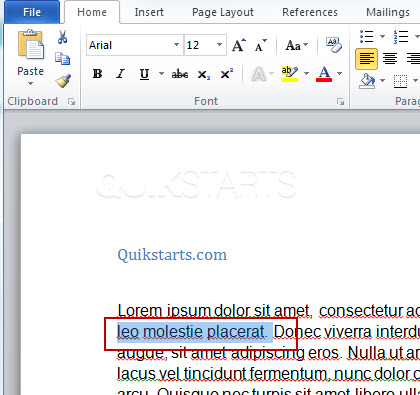
Left click and drag across the word or words you want to change into a URL so that they are highlighted.
3
Right click after the content has been highlighted and click the "Hyperlink" option.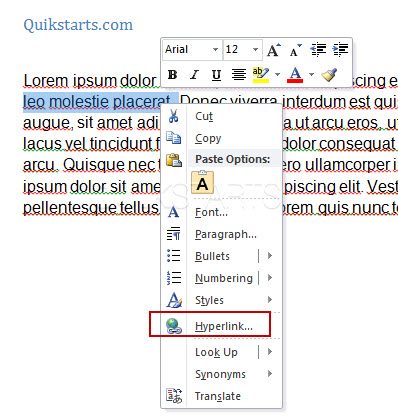
4
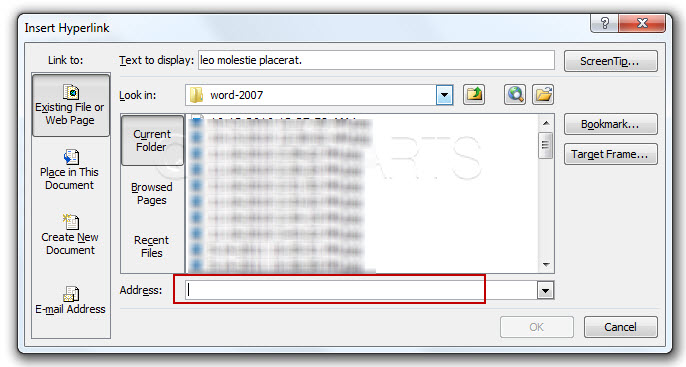
Type the url including "http://" of the site you want a reader to see when they click this url into the "Address" field.
5
Click the "Ok" button.

6
The selected text should now be a displayed as a click-able url.
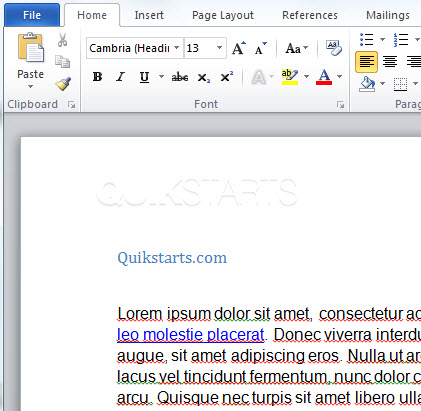
7
This task should now be complete. If not, review and repeat the steps as needed. Submit any questions using the section at the bottom of this page.
comments powered by Disqus
 Ask a question or provide an answer