






This guide is part of the Steam series
1. How to add a collection in Steam
2. How to disable notifications in Steam
3. How to enable downloads during gameplay on Steam
4. How to switch to Offline Mode in Steam
5. How to view hidden games in Steam
2. How to disable notifications in Steam
3. How to enable downloads during gameplay on Steam
4. How to switch to Offline Mode in Steam
5. How to view hidden games in Steam
Make: Valve
Model / Product: Steam
Version: 1745876290
Objective / Info: Learn how to add a collection folder in your Steam library.
Model / Product: Steam
Version: 1745876290
Objective / Info: Learn how to add a collection folder in your Steam library.
1
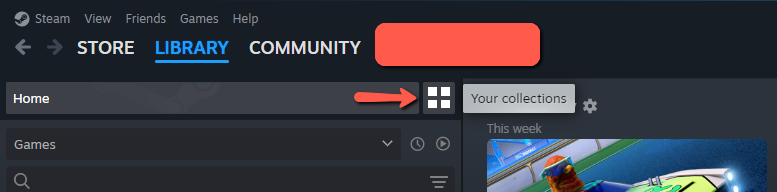
Click on the "Your collections" icon.
2
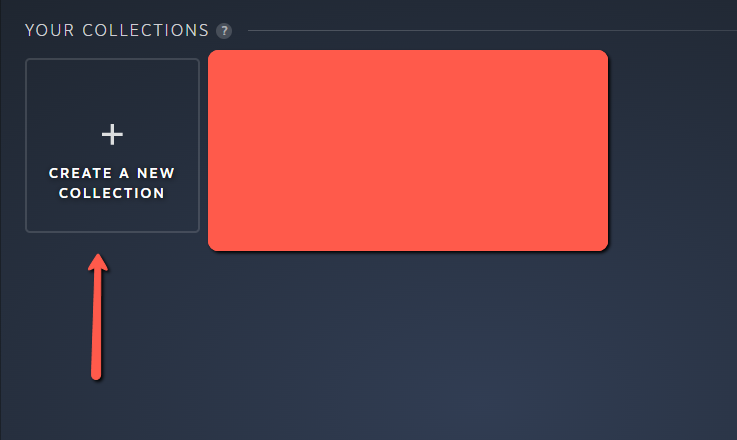
Click on "Create New Collection".
3
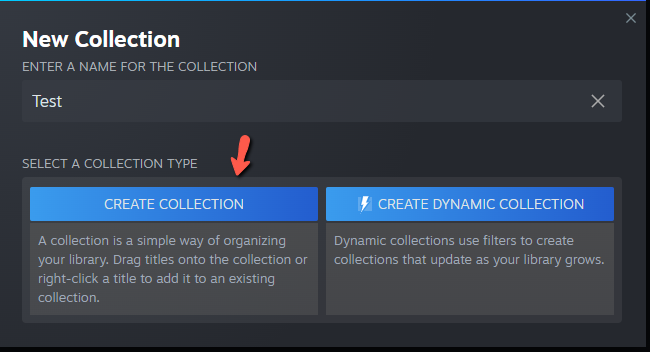
Type a name you want for the collection.
4
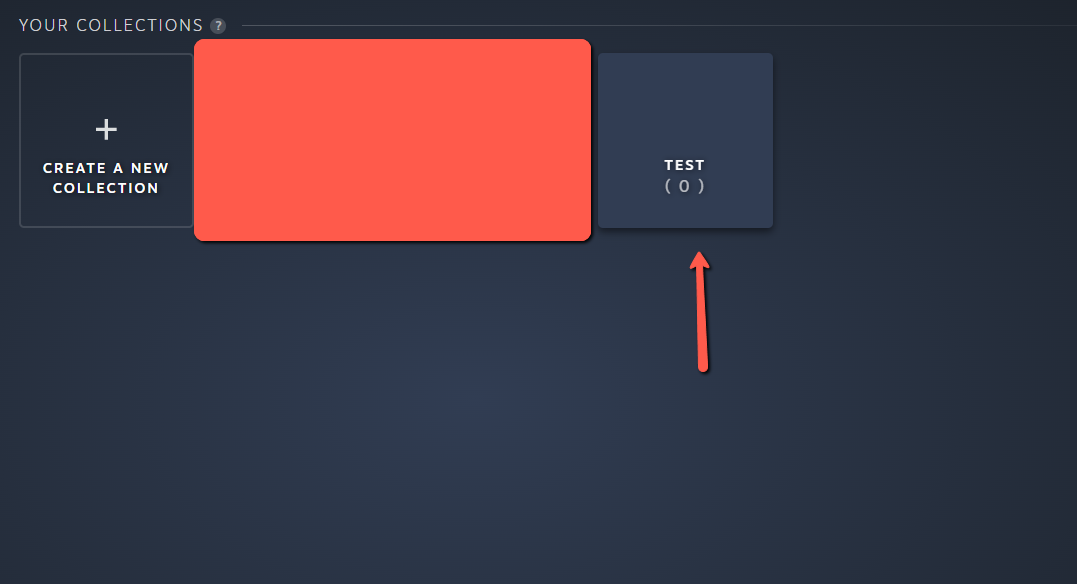
Your collection should now be created and now show up in the "Your collection" section.
5
This task should be complete. Review the steps if you had any issues and try again. Submit questions or request for more guides in the questions section below.
comments powered by Disqus
 Ask a question or provide an answer