






This guide is part of the Skype series
1. Download and install Skype on a Android Tmobile G2
2. How to add people to your Skype contact list
3. How to download and install Skype
4. How to make a free Skype call
5. How to make a free Skype call on the G2
6. How to setup Skype
7. How to use Skype
2. How to add people to your Skype contact list
3. How to download and install Skype
4. How to make a free Skype call
5. How to make a free Skype call on the G2
6. How to setup Skype
7. How to use Skype
Make: Skype
Model / Product: T-Mobile G2
Version: Android 2.2
Objective / Info: Download and install Skype on a an Android powered mobile phone. In this example we will use a T Mobile G2.
Model / Product: T-Mobile G2
Version: Android 2.2
Objective / Info: Download and install Skype on a an Android powered mobile phone. In this example we will use a T Mobile G2.
1
Tap the Android Market icon on the desktop.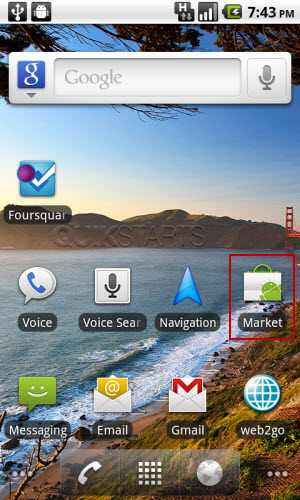
2
Tap the search icon.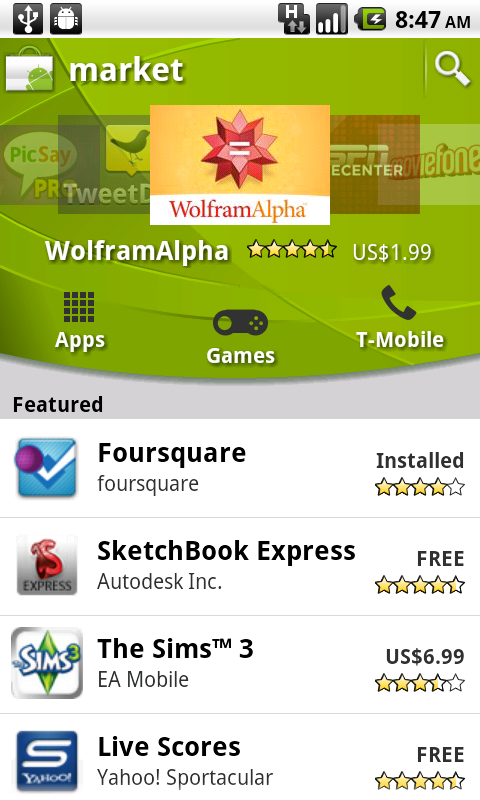
3
Type in "Skype". As you type you might see the "Skype" option, if so tap it.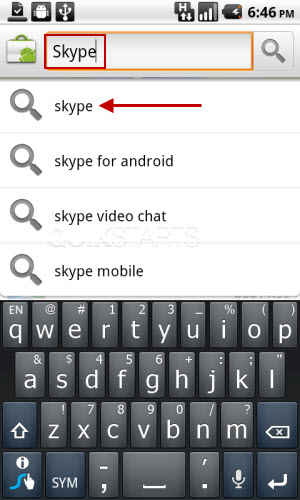
4
Tap the "Skype" option.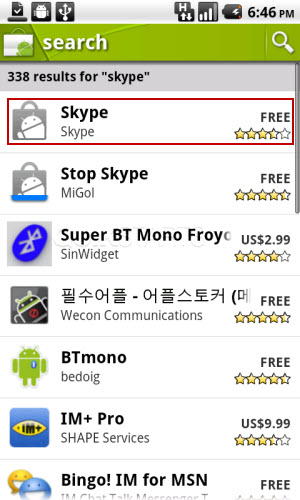
5
Tap the "Free" button in the upper right hand corner.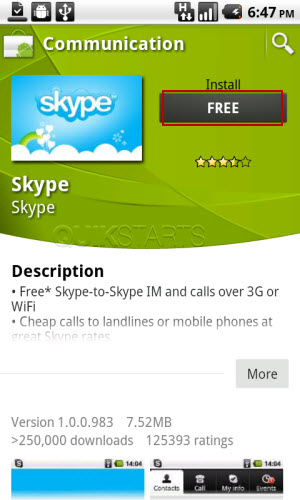
6
Tap the "Ok" button in the upper right hand corner.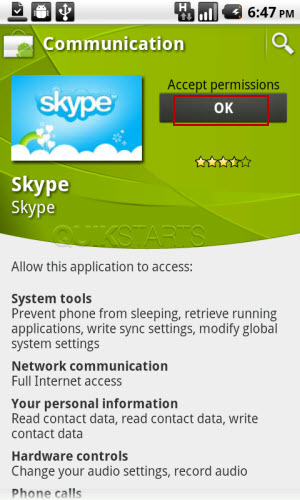
7
The application should begin to download and install on your phone.
8
This task should now be complete. If not, review and repeat the steps as needed. Submit any questions using the section at the bottom of this page.
comments powered by Disqus
 Ask a question or provide an answer