






This guide is part of the Microsoft Word 2010 series
1.
How to add a URL to a word 2010 document
2. How to change the hyperlink color in word 2010
3. How to convert a word 2010 file into a pdf
4. How to insert a url into a word 2010 document
5. How to password protect a word 2010 document
6. How to use auto save in word 2010
7. How to use Microsoft word 2010
8. How to use track changes in word 2010
2. How to change the hyperlink color in word 2010
3. How to convert a word 2010 file into a pdf
4. How to insert a url into a word 2010 document
5. How to password protect a word 2010 document
6. How to use auto save in word 2010
7. How to use Microsoft word 2010
8. How to use track changes in word 2010
Make: auto-save
Model / Product: Word
Version: 2010
Objective / Info: How to view the status of, activate and edit the auto save feature in Word 2010.
Model / Product: Word
Version: 2010
Objective / Info: How to view the status of, activate and edit the auto save feature in Word 2010.
1
Open word by clicking the icon on the desktop of the start menu.
2
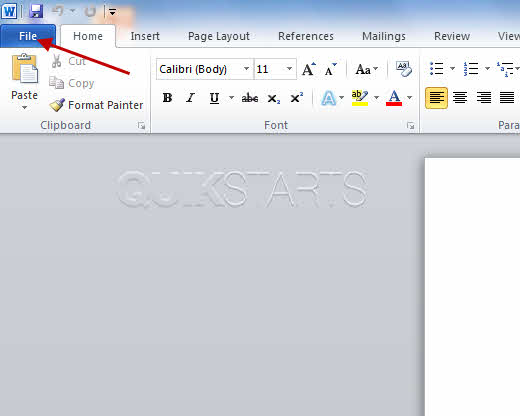
Click the "File" button in the upper left hand corner of the program.
3
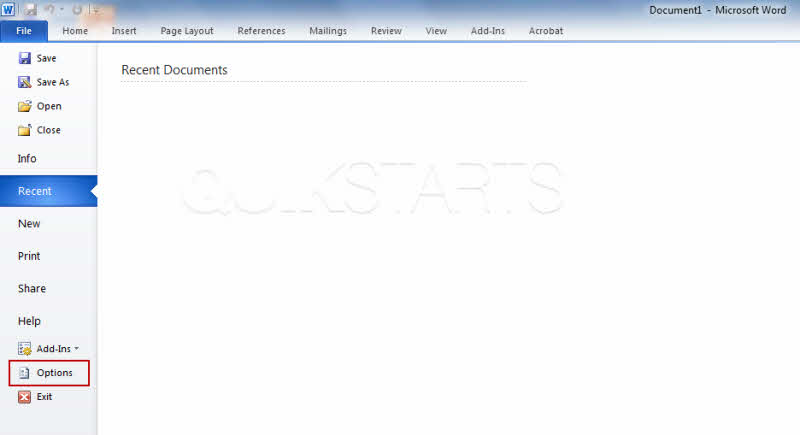
Click the "Options" button on the list.
4
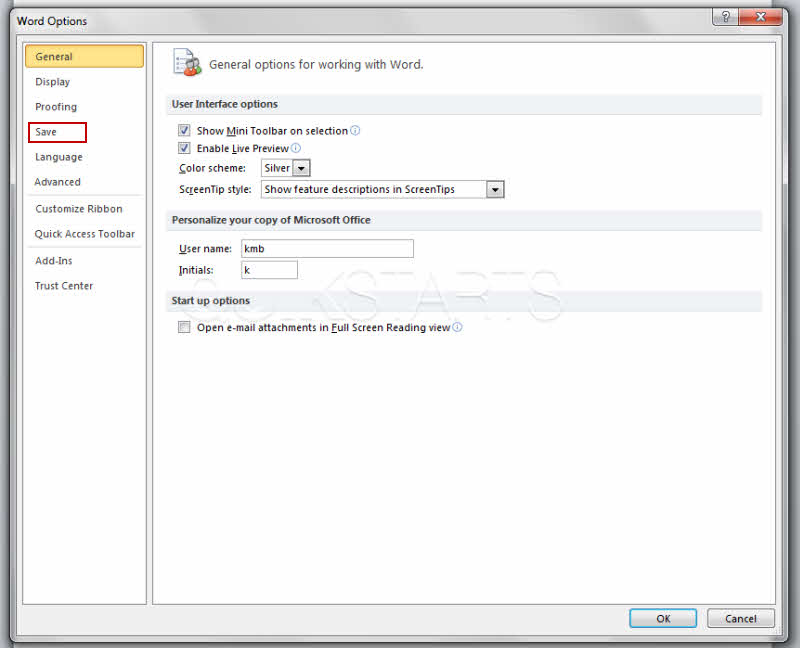
Click the "Save" button on the left hand menu.
5
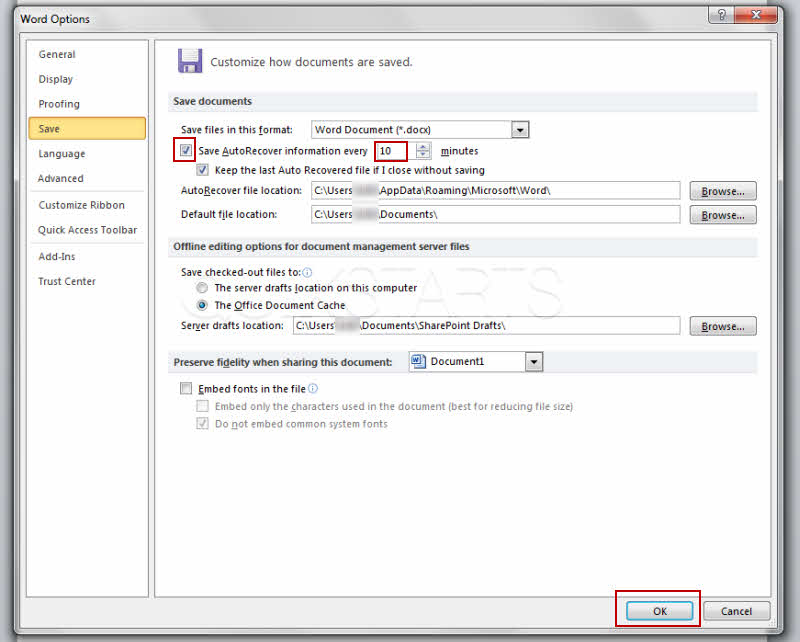
Make sure that the check box has a check mark in it. Set the frequency in terms of minutes apart that you would like your word documents to be saved.
Note :
Click save after you have made the changes.
6
This task should be complete, if not, review the steps and try again.
comments powered by Disqus
 Ask a question or provide an answer