






This guide is part of the Skype series
1.
Download and install Skype on a Android Tmobile G2
2. How to add people to your Skype contact list
3. How to download and install Skype
4. How to make a free Skype call
5. How to make a free Skype call on the G2
6. How to setup Skype
7. How to use Skype
2. How to add people to your Skype contact list
3. How to download and install Skype
4. How to make a free Skype call
5. How to make a free Skype call on the G2
6. How to setup Skype
7. How to use Skype
Make: Skype
Model / Product: Windows PC
Version: 4.2.0.169
Objective / Info: Add a person to your list of Skype contacts so that you may call them using the Skype directory search.
Model / Product: Windows PC
Version: 4.2.0.169
Objective / Info: Add a person to your list of Skype contacts so that you may call them using the Skype directory search.
1
Open Skype by clicking the icon from the desktop or start menu.
2
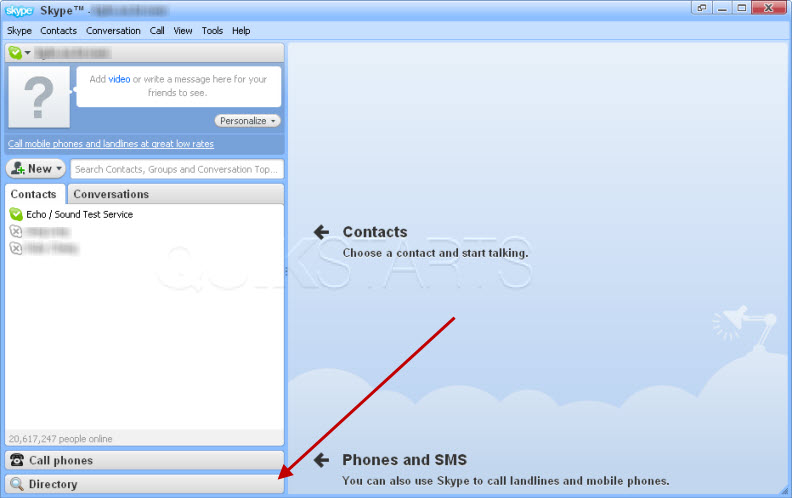
Click the "Directory" button on the left vertical menu.
3
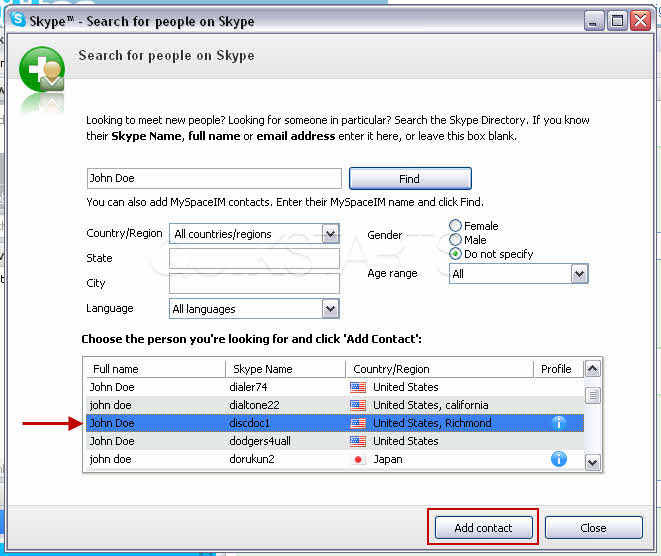
Type the persons Skype name, full name or email address in the box to the right and click the "Search" button.

4
In this example we searched for "John Doe". Select the name of the person and click the "Add Contact" button.
Note :
Your search results return multiple accounts with the same name, press the blue icon to the right of the name to see further details.
5
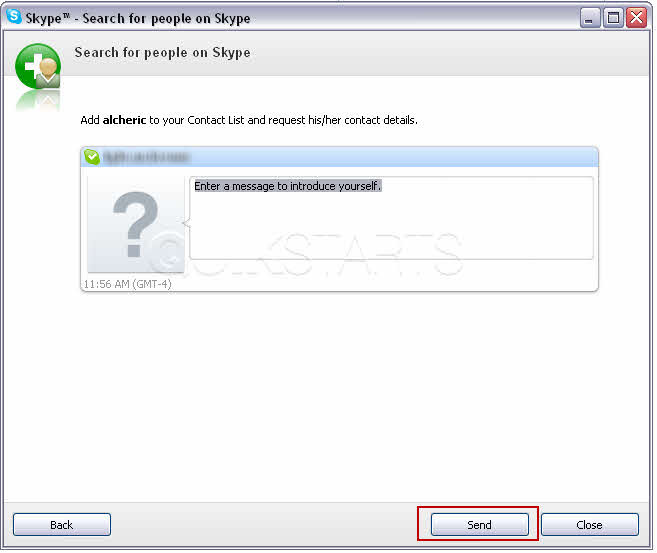
Add a message to the invitation that will be sent to the person and click send.
Note :
After the invitation has been accepted by the person, you should be able to contact them from your contact list.
6
This task should be complete. If not, review the steps and try again.
comments powered by Disqus
 Ask a question or provide an answer