





This guide is part of the Trend Micro Titanium Internet Security series
1.
Activate the firewall in Trend Micro Titanium 2011
2. Activate the spam filter for Trend Micro 2011
3. Download Trend Micro Titanium Security 2011
4. How to use Trend Micro Titanium Internet Security
5. Upgrade from Trend Micro 2010 to Titanium 2011
2. Activate the spam filter for Trend Micro 2011
3. Download Trend Micro Titanium Security 2011
4. How to use Trend Micro Titanium Internet Security
5. Upgrade from Trend Micro 2010 to Titanium 2011
Make: Trend Micro
Model / Product: Titanium
Version: Internet Security 2011
Objective / Info: In this guide you will learn how to activate the Spam Filter for Outlook. These steps should apply to any email clients supported by Trend Micro.
Model / Product: Titanium
Version: Internet Security 2011
Objective / Info: In this guide you will learn how to activate the Spam Filter for Outlook. These steps should apply to any email clients supported by Trend Micro.
1
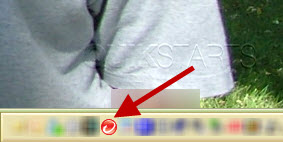
Double click the Trend Micro icon on the desktop in the system tray.
2
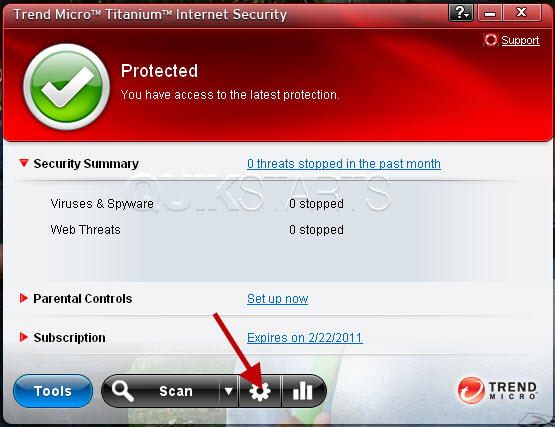
Click the "Settings" icon on the application.
3
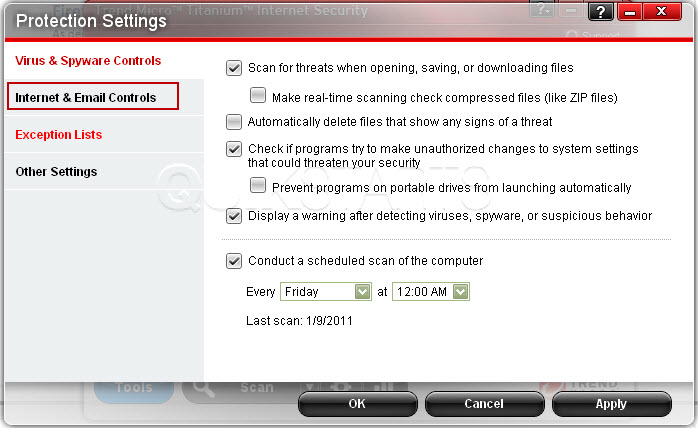
Click the "Internet & Email controls" option.
4
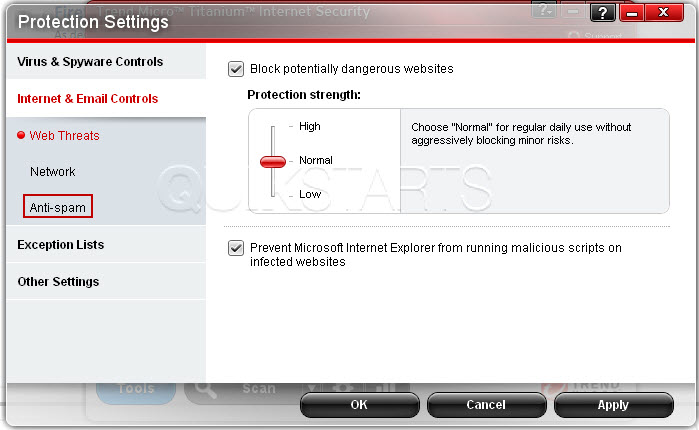
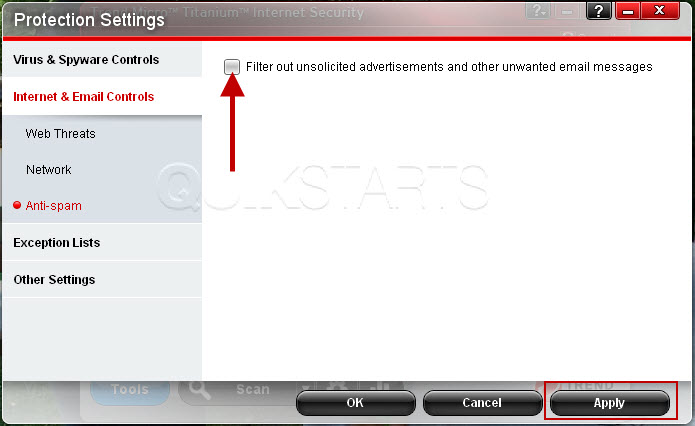
Click the "Anti-Spam" option.
Note :
If Outlook is currently open, you may be asked to close it before completing this step. Close Outlook and continue.
5
Place a check mark in the box and click the "Apply" button.
6
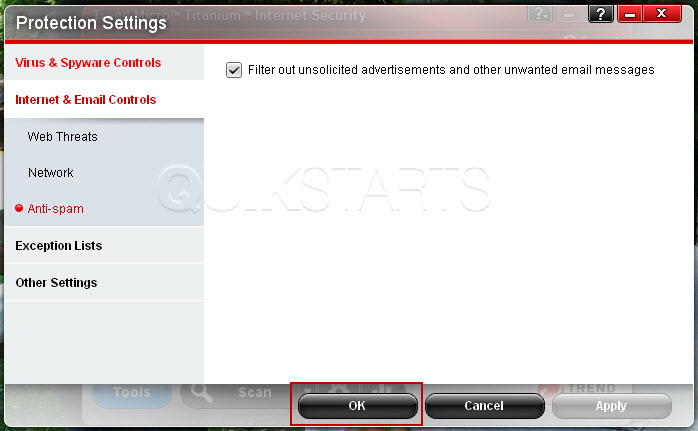
Click the "Ok" button.
7
This task should now be complete. If not, review and repeat the steps as needed. Submit any questions using the section at the bottom of this page.8
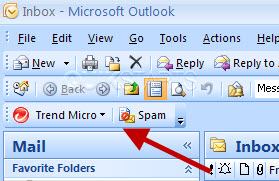
You can open Outlook and look for the Anti-Spam toolbar somewhere on the menu at the top.

comments powered by Disqus
 Ask a question or provide an answer