





This guide is part of the windows live mail series
1.
How to add a read receipt in windows live mail
2. How to forward an email in windows live mail
3. How to print an email in Windows Live Mail
4. How to print an email in Windows Live Mail 2011
5. How to read rss feeds with windows live mail
6. How to reply to an email in Windows Live Mail
7. How to send an email in windows live mail
8. How to send emails using BCC in Windows Live Mail
9. How to use Microsoft windows live mail
10. Set read receipt in Windows Live mail for all mail
2. How to forward an email in windows live mail
3. How to print an email in Windows Live Mail
4. How to print an email in Windows Live Mail 2011
5. How to read rss feeds with windows live mail
6. How to reply to an email in Windows Live Mail
7. How to send an email in windows live mail
8. How to send emails using BCC in Windows Live Mail
9. How to use Microsoft windows live mail
10. Set read receipt in Windows Live mail for all mail
Make: Microsoft
Model / Product: Windows Live Mail
Version: 2009
Objective / Info: Learn to reply to an email in Microsoft Windows Live Mail on a computer running windows 7.
Model / Product: Windows Live Mail
Version: 2009
Objective / Info: Learn to reply to an email in Microsoft Windows Live Mail on a computer running windows 7.
1
Open Live Mail by clicking the icon on your desktop or start menu.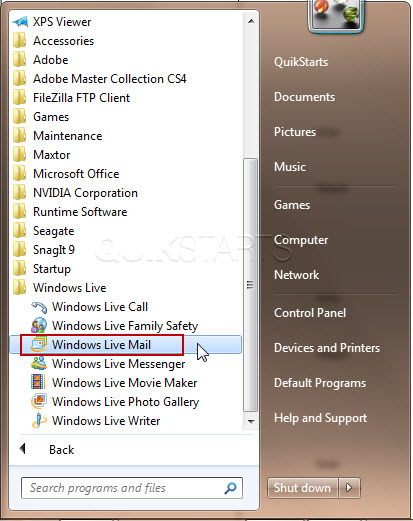
2
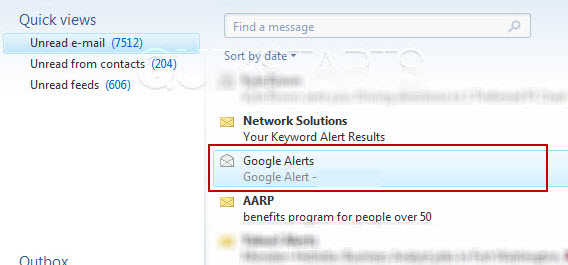
Select the email that you wish to reply to and double left click on it to open and read it.
3
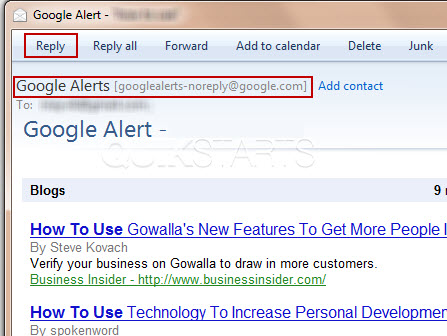
Click the "Reply" button to reply to the email.
Note :
The email addressat the top is the address that the reply will be sent to.
4
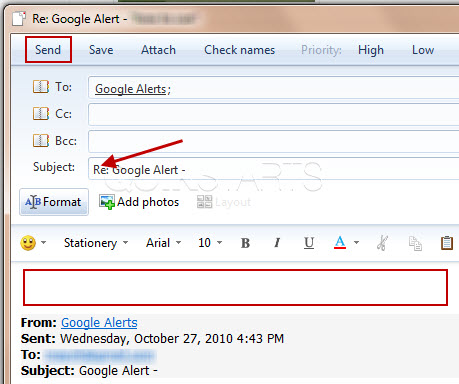
Populate the body of the email with your response and press the "Send" button on the menu bar.
Note :
The subject field is already populated for you with the original subject preceded by "RE:"
5
This task should now be complete. If not, review and repeat the steps as needed. Submit any questions using the section at the bottom of this page.
comments powered by Disqus
 Ask a question or provide an answer