






This guide is part of the Make google my homepage series
1.
How to make google your homepage
2. How to make Google your homepage in Chrome
3. How to make Google your homepage in FireFox
4. How to make Google your homepage in FireFox 5
5. How to make Google your homepage in IE 7
6. How to make Google your homepage in IE 8
7. How to make Google your homepage in IE 9
8. How to make Google your homepage in Safari 5
9. How to make google your homepage using Google.com
10. How to show your homepage in new tabs with FireFox
2. How to make Google your homepage in Chrome
3. How to make Google your homepage in FireFox
4. How to make Google your homepage in FireFox 5
5. How to make Google your homepage in IE 7
6. How to make Google your homepage in IE 8
7. How to make Google your homepage in IE 9
8. How to make Google your homepage in Safari 5
9. How to make google your homepage using Google.com
10. How to show your homepage in new tabs with FireFox
Make: Microsoft
Model / Product: Internet Explorer
Version: 9 beta
Objective / Info: How to make Google your homepage in Internet Explorer 9.
Model / Product: Internet Explorer
Version: 9 beta
Objective / Info: How to make Google your homepage in Internet Explorer 9.
1
Open Internet Explorer by clicking the icon in your desktop or start menu.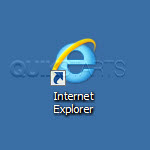
2
Visit google by typing http://www.google.com in the address field of your browser.

3
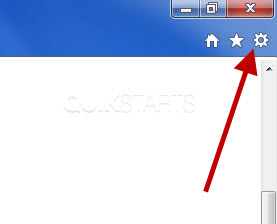
In the upper right hand corner of the browser, click the icon that looks like a small gear which is the "Tools" button.
4
Click the "Internet Options" option.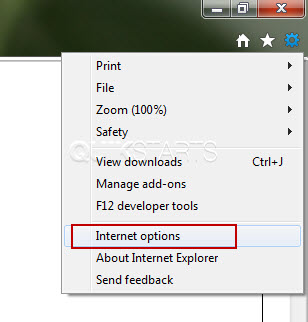
5
Click the "Use Current" button, then click the "Ok" button. Note :The next time a new window is opened, www.google.com should be displayed.
6
This task should now be complete. If not, review and repeat the steps as needed. Submit any questions using the section at the bottom of this page.
comments powered by Disqus
 Ask a question or provide an answer