






This guide is part of the PowerPoint 2010 series
1.
How to insert a URL into a PowerPoint presentation
2. Save powerpoint 2010 files for versions 2003 to 97
2. Save powerpoint 2010 files for versions 2003 to 97
Make: Microsoft
Model / Product: PowerPoint
Version: 2010
Objective / Info: Learn how to save powerpoint 2010 files so that users running versions 2003 through 1997 can view the presentation.
Model / Product: PowerPoint
Version: 2010
Objective / Info: Learn how to save powerpoint 2010 files so that users running versions 2003 through 1997 can view the presentation.
1
Open PowerPoint by double left clicking the icon on the desktop start menu Or by double clicking on an existing powerpoint file.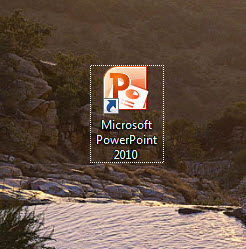
2
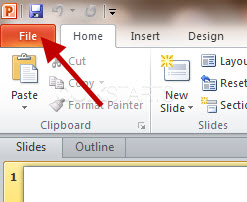
Click the "File" tab in the upper left hand corner.
3
Click the "Save As" tab in the upper left hand corner.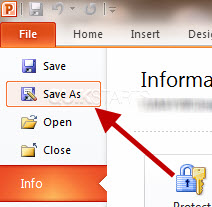
4
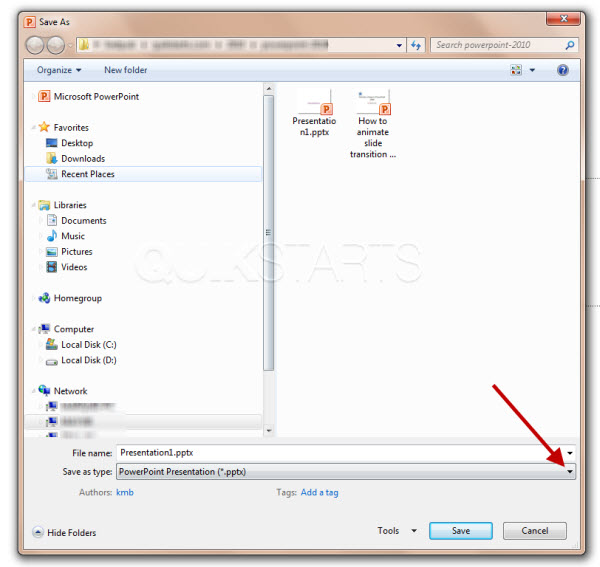
Navigate to a path where you want to save the file. Then click the "Save as type" drop dwon menu near the bottom of the pop up window.
5
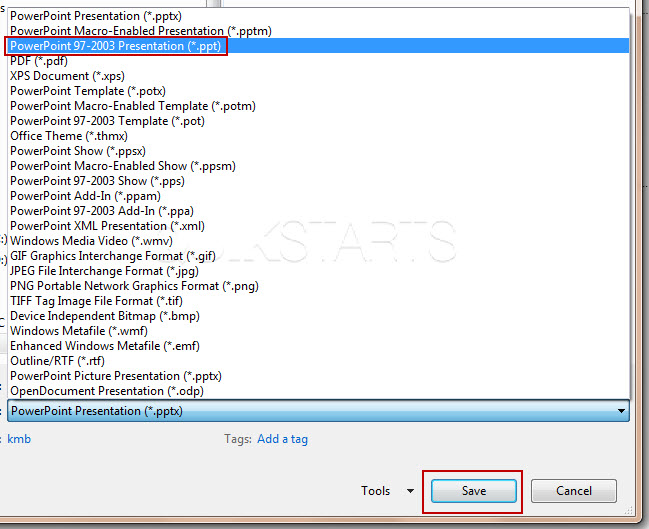
Select the "PowerPoint 97-2003 Presentation (*.ppt)" option from the list and click the "save" button at the bottom of the window.
6
This task should now be complete. If not, review and repeat the steps as needed. Submit any questions using the section at the bottom of this page
comments powered by Disqus
 Ask a question or provide an answer