






This guide is part of the Filezilla for Windows series
1. How to browse your LAN in Filezilla
2. How to place Filezilla into passive transfer mode
3. How to use FileZilla
4. How to use FTP
2. How to place Filezilla into passive transfer mode
3. How to use FileZilla
4. How to use FTP
Make: FileZilla
Model / Product: Windows
Version: 3.3.2.1
Objective / Info: Browse your LAN using Filezilla.
Model / Product: Windows
Version: 3.3.2.1
Objective / Info: Browse your LAN using Filezilla.
1
Launch the Filezilla application.2
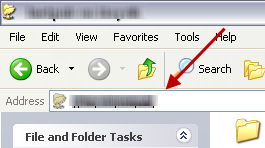
Locate and copy the path to the network file or folder by browsing via Windows explorer.
Note :
The "Address" field contains the path.
3
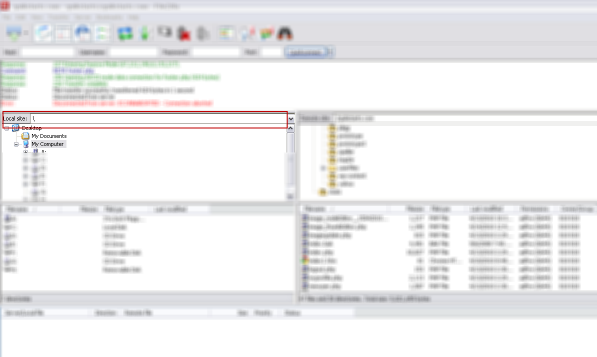
In Filezilla, paste or type the path into the "Local Site" field.
Note :
Mapped network drives should already appear.

comments powered by Disqus
 Ask a question or provide an answer