






This guide is part of the Microsoft Outlook 2010 series
1.
How to add a category in Outlook 2010
2. How to add a link to an email in outlook 2010
3. How to add a read receipt in Outlook 2010
4. How to add a signature in Outlook 2010
5. How to add an attachment to Outlook 2010
6. How to archive emails in Outlook 2010
7. How to back up Outlook 2010
8. How to create folders in Outlook 2010
9. How to forward an email in Outlook 2010
10. How to print an email in Outlook 2010
2. How to add a link to an email in outlook 2010
3. How to add a read receipt in Outlook 2010
4. How to add a signature in Outlook 2010
5. How to add an attachment to Outlook 2010
6. How to archive emails in Outlook 2010
7. How to back up Outlook 2010
8. How to create folders in Outlook 2010
9. How to forward an email in Outlook 2010
10. How to print an email in Outlook 2010
Make: Microsoft
Model / Product: Outlook
Version: 2010
Objective / Info: Thats right. Learn to send an email in Microsoft Outlook 2010.
Model / Product: Outlook
Version: 2010
Objective / Info: Thats right. Learn to send an email in Microsoft Outlook 2010.
1
Open Outlook by clicking the icon on your desktop or start menu.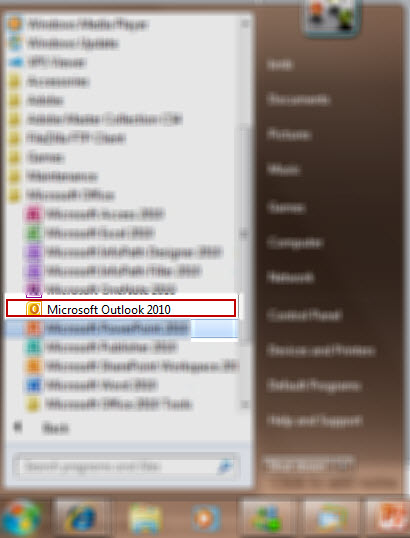
2
Click the "New" button.
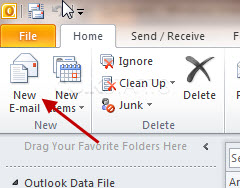
3
Type the email address of the contact your want to send the email to in the "To" field. Type the subject of your email in the "Subject" field.

4
Press the "Send" button.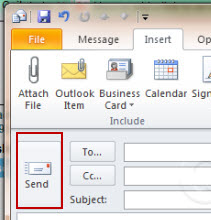
5
Reference other guides on this topic at the links above this guide.
comments powered by Disqus
 Ask a question or provide an answer