






This guide is part of the Google Plus series
1.
Add more than one profile photo in Google Plus
2. Allow email from your profile page in Google Plus
3. Connect Google Plus to Klout
4. Disable google plus post comments before sharing
5. Disable the post resharing feature in Google Plus
6. How to add a spark in Google Plus
7. How to add a spark in Google Plus 9282011
8. How to block someone in Google Plus
9. How to change your display name in Google Plus
10. How to create circles in Google Plus
2. Allow email from your profile page in Google Plus
3. Connect Google Plus to Klout
4. Disable google plus post comments before sharing
5. Disable the post resharing feature in Google Plus
6. How to add a spark in Google Plus
7. How to add a spark in Google Plus 9282011
8. How to block someone in Google Plus
9. How to change your display name in Google Plus
10. How to create circles in Google Plus
Make: Google
Model / Product: Plus
Version: N/A
Objective / Info: Learn how create a hash tag that automatically becomes a link.
Model / Product: Plus
Version: N/A
Objective / Info: Learn how create a hash tag that automatically becomes a link.
1
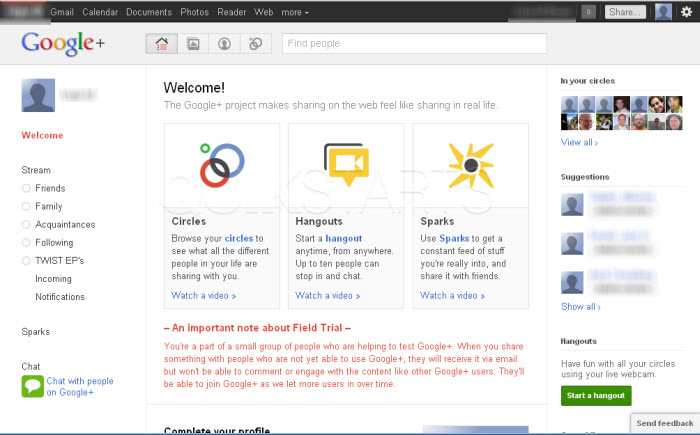
Start by visiting plus.google.com.
2
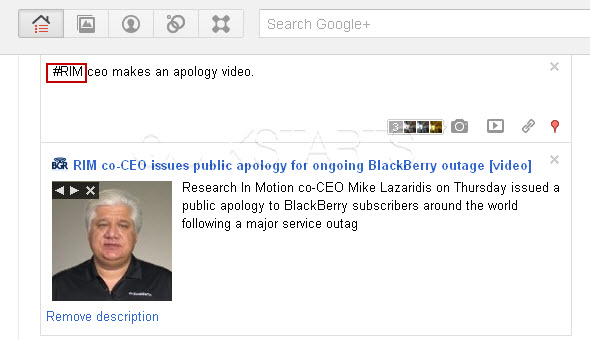
Start creating a post in the status field. Type the # symbol before the word that you want to use it for and click the "Share" button.
Note :
In this example, we marked RIM with the hash tag. #RIM
3
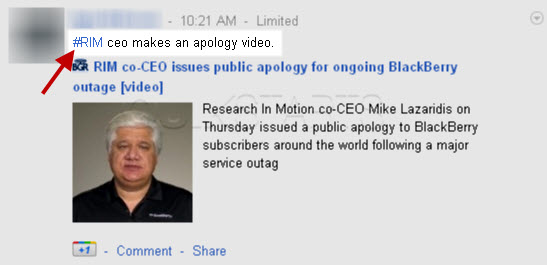
The word you marked with the has tag should post to the public and become clickable.
4
When clicked, Google plus should return any relevant content containing that same word.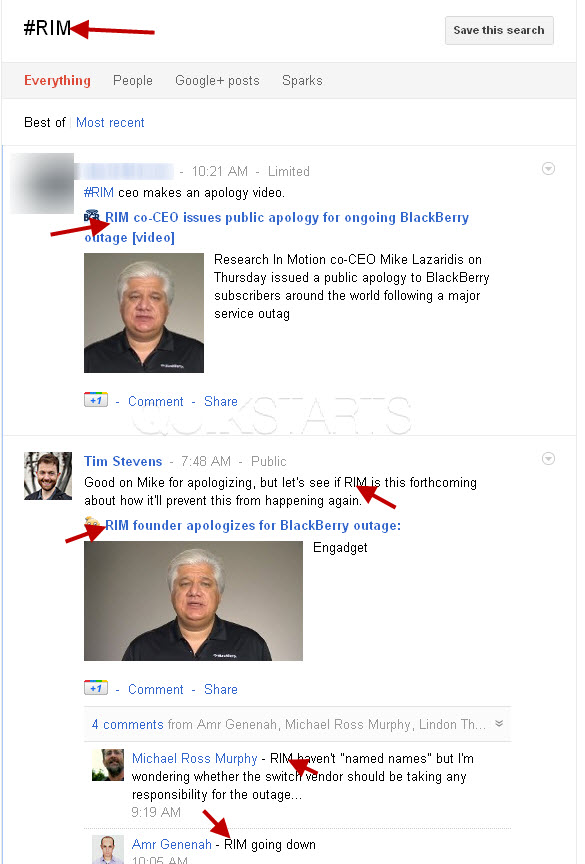
5
This task should now be complete. If not, review and repeat the steps as needed. Submit any questions using the section at the bottom of this page.
comments powered by Disqus
 Ask a question or provide an answer