





This guide is part of the Mobify series
1.
Add AdSense to your mobile site using mobify
2. How to create a free Mobify account
3. How to setup a custom domain for Mobify
4. How to setup Mobify for the first time
5. How to use Mobify
2. How to create a free Mobify account
3. How to setup a custom domain for Mobify
4. How to setup Mobify for the first time
5. How to use Mobify
Make: Mobify
Model / Product: Basic
Version: Basic
Objective / Info: Create a free basic Mobify account. Site: www.Mobify.me
Model / Product: Basic
Version: Basic
Objective / Info: Create a free basic Mobify account. Site: www.Mobify.me
1
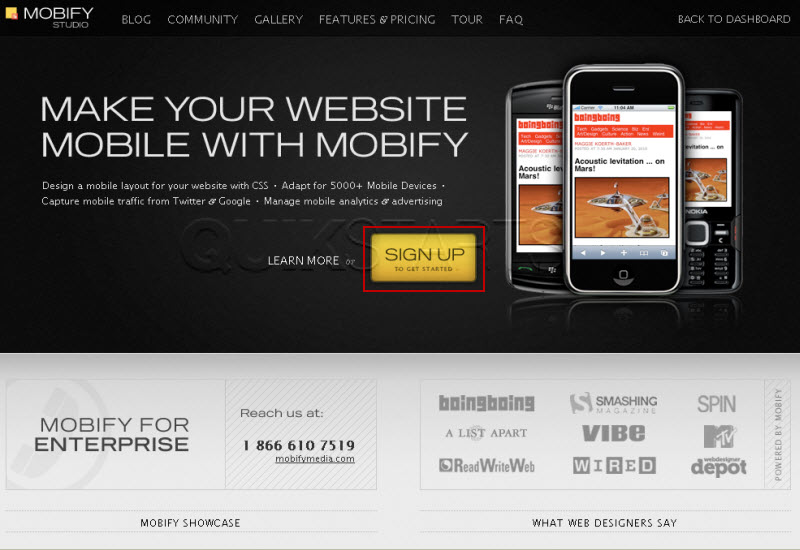
Visit www.Mobify.me2
Click the "Sign up" button.
3
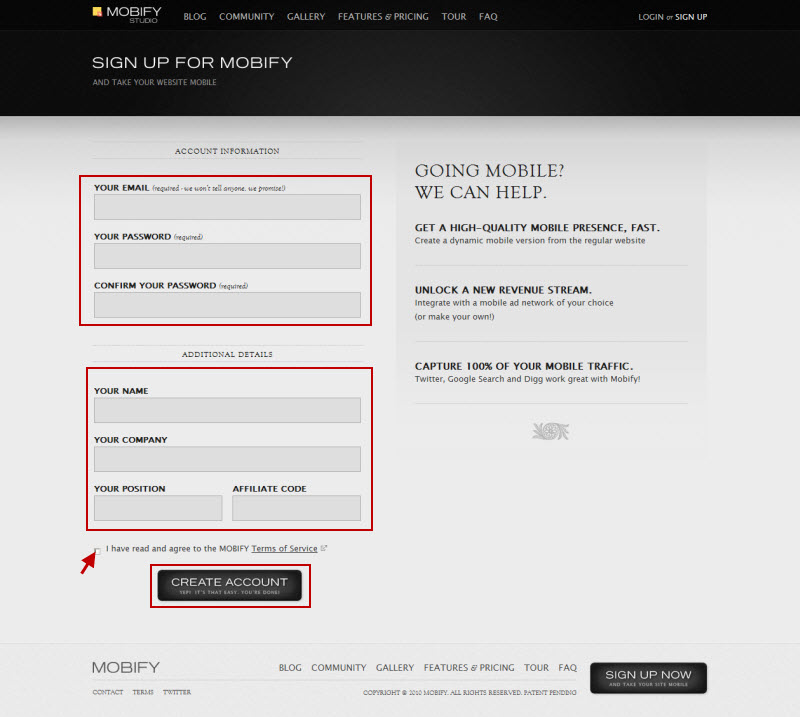
Complete all of the information in the first section. Completing the additional details should be optional. Click the "Continue" button.
Note :
You must agree to the terms before proceeding.
4
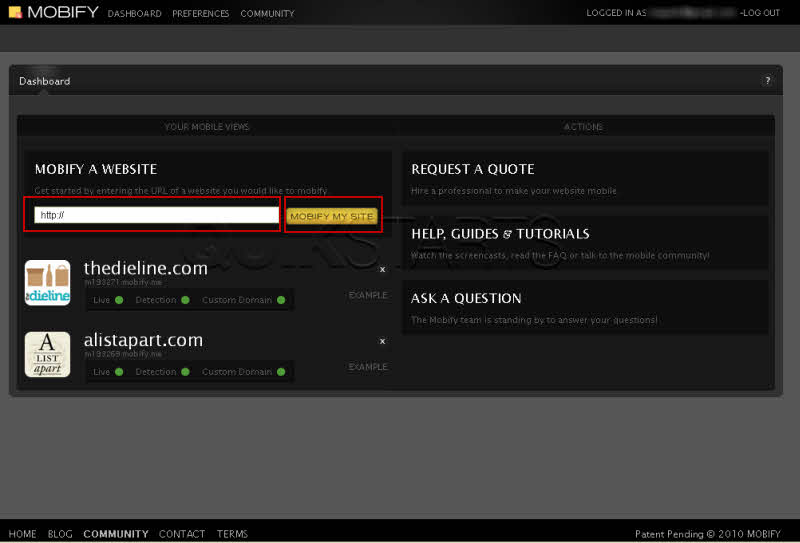
You should be automatically directed to the account section. That should complete the account creation process. Review the process and try again. Submit any questions in the section at the bottom of this page.

comments powered by Disqus
 Ask a question or provide an answer