






This guide is part of the Comcast series
1.
Adjust your settings with comcast PC caller id
2. Auto launch caller id when the computers starts
3. Have Comcast caller id play a sound during a call
4. How to activate a comcast DVR converter
5. How to activate my dvr manager for comcast
6. How to install Comcast caller id on a computer
7. How to opt out of the Comcast Public WiFi Hotspot
8. How to start comcast caller id on a computer
9. How to use Comcast caller id
10. How to use my dvr manager from comcast
2. Auto launch caller id when the computers starts
3. Have Comcast caller id play a sound during a call
4. How to activate a comcast DVR converter
5. How to activate my dvr manager for comcast
6. How to install Comcast caller id on a computer
7. How to opt out of the Comcast Public WiFi Hotspot
8. How to start comcast caller id on a computer
9. How to use Comcast caller id
10. How to use my dvr manager from comcast
Make: Comcast
Model / Product: Universal Caller Id
Version: Windows PC
Objective / Info: Learn to start comcast caller id on a computer running windows xp.
Model / Product: Universal Caller Id
Version: Windows PC
Objective / Info: Learn to start comcast caller id on a computer running windows xp.
1
This task should be completed, if not review and repeat the steps.2
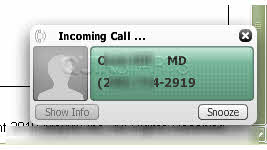
At this point all you need to do is wait for a phone call. When you do receive a call, you should see a pop up in the lower right hand corner of the desktop showing a name or location and phone number, just as you would on the phone or televisions caller id. You should also hear a sound.
3
You should see a pop up box in the lower right hand corner of the desktop indicating that you are logged in.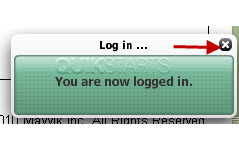
4
Type in you username and password and click the "Connect" button.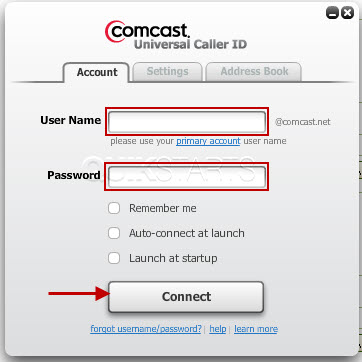
5
Click the "Start" menu, then "All programs", the look for "Comcast caller id" and click to start the program.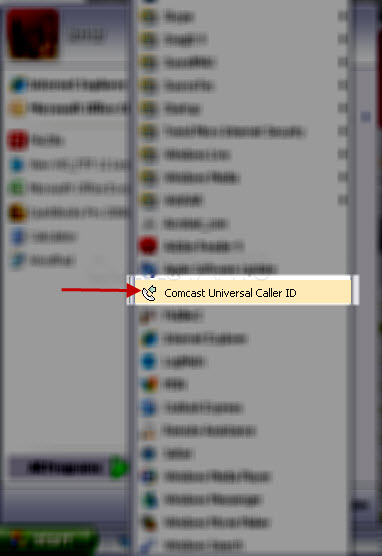

comments powered by Disqus
 Ask a question or provide an answer