






This guide is part of the Gmail series
1.
Activate Gmail desktop notifications for Chrome
2. Drag and drop gmail attachments to your desktop
3. How to activate the priority inbox in gmail
4. How to add a link to an email using gmail
5. How to add an attachment in gmail
6. How to archive GMail
7. How to change your gmail theme
8. How to create folders in gmail
9. How to forward an email in GMail
10. How to print an email in GMail
2. Drag and drop gmail attachments to your desktop
3. How to activate the priority inbox in gmail
4. How to add a link to an email using gmail
5. How to add an attachment in gmail
6. How to archive GMail
7. How to change your gmail theme
8. How to create folders in gmail
9. How to forward an email in GMail
10. How to print an email in GMail
Make: Google
Model / Product: Gmail
Version: N/A
Objective / Info: Send an email using google gmail.
Model / Product: Gmail
Version: N/A
Objective / Info: Send an email using google gmail.
1
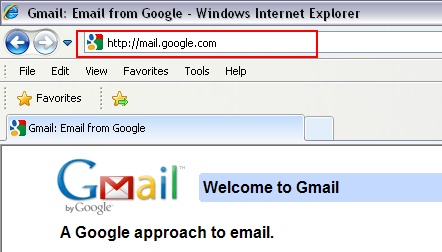
Visit mail.gmail.com by typing it into your web browsers address field.
2
Click the "Compose mail" button.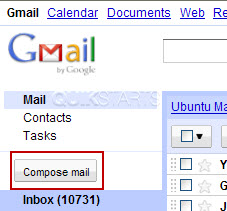
3
Populate the To, CC, Subject fields as you normally would and type in a sentence of text including the word that you want to change into a link.

4
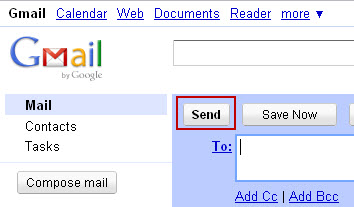
Click the "Send" button.
5
This task should now be complete. If not, review and repeat the steps as needed. Submit any questions using the section at the bottom of this page.
comments powered by Disqus
 Ask a question or provide an answer