






This guide is part of the Internet Explorer 8 series
1.
Add a Facebook button to your toolbar in IE 8
2. How to block websites in Internet explorer 8
3. How to clean temporary Internet files in IE 8
4. How to clear search history in Internet Explorer 8
5. How to clear the browser cache in IE 8
2. How to block websites in Internet explorer 8
3. How to clean temporary Internet files in IE 8
4. How to clear search history in Internet Explorer 8
5. How to clear the browser cache in IE 8
Make: Microsoft
Model / Product: Internet Explorer
Version: 8
Objective / Info: Clean temporary Internet files from your web browser.
Model / Product: Internet Explorer
Version: 8
Objective / Info: Clean temporary Internet files from your web browser.
1
Open Internet Explorer by clicking the desktop icon.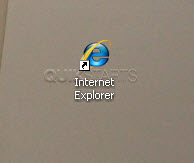
2
In the upper right hand corner click tools.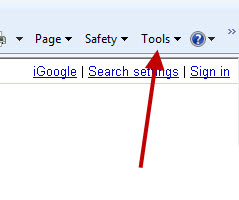
3
Select Internet Options.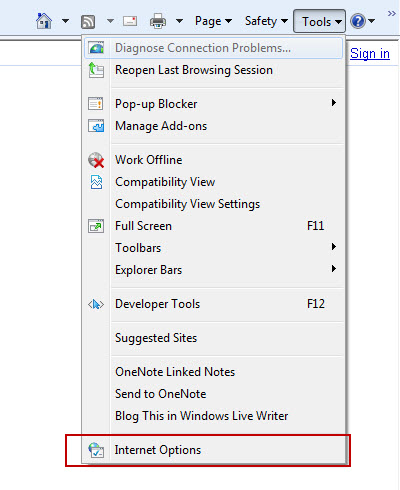
4
In the browsing history section, click the "Delete" button.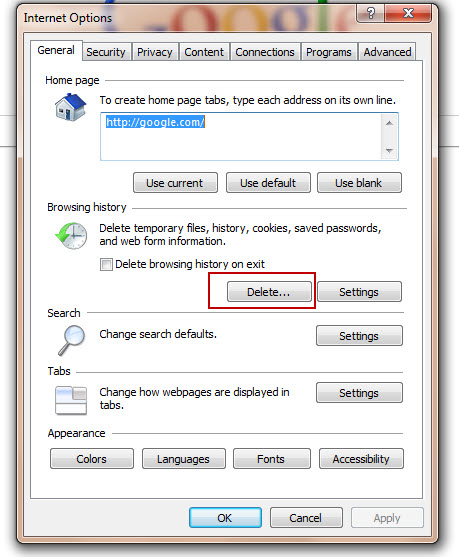
5
Place a check mark next to "Temporary Internet FiIes"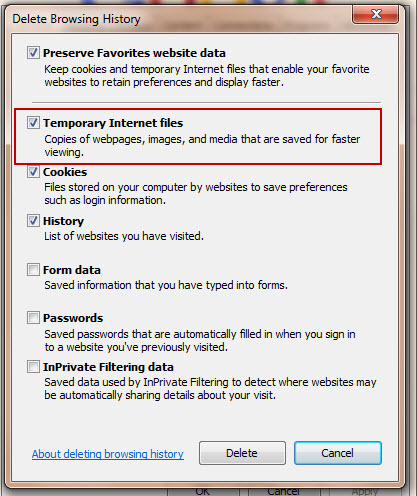
6
Press the "Delete" button.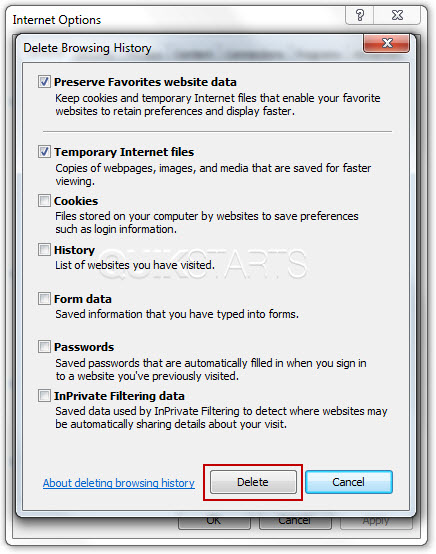
7
Click the "Ok" button on the Internet Options box.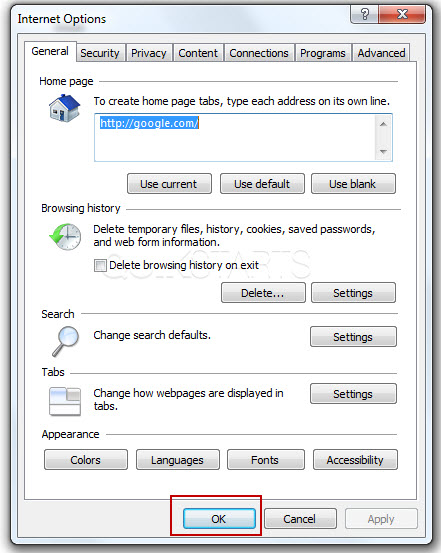
8
Your temporary Internet files should now be deleted.
comments powered by Disqus
 Ask a question or provide an answer