






This guide is part of the PowerPoint 2007 series
1.
Change the slide advance speed in PowerPoint 2007
2. How to insert a URL into a PowerPoint 2007
3. How to mark up and annotate a PDF without acrobat
4. How to save a shape as an image file
5. How to tell which version of PowerPoint you have
6. How to use shapes in PowerPoint
2. How to insert a URL into a PowerPoint 2007
3. How to mark up and annotate a PDF without acrobat
4. How to save a shape as an image file
5. How to tell which version of PowerPoint you have
6. How to use shapes in PowerPoint
Make: Microsoft
Model / Product: PowerPoint
Version: 2007
Objective / Info: Add a url to a Microsoft PowerPoint 2007 presentation.
Model / Product: PowerPoint
Version: 2007
Objective / Info: Add a url to a Microsoft PowerPoint 2007 presentation.
1
Open PowerPoint by double left clicking the icon on the desktop start menu.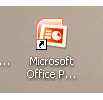
2
A new blank presentation should open.
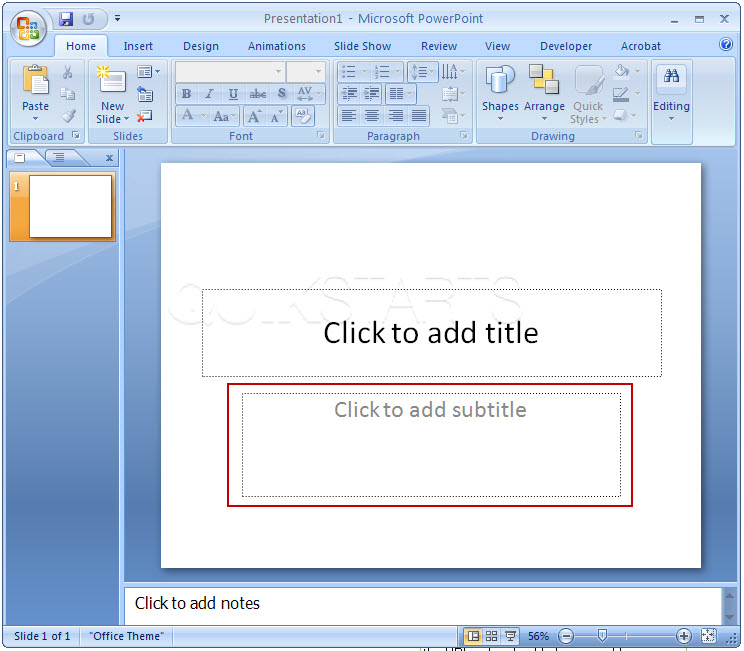
3
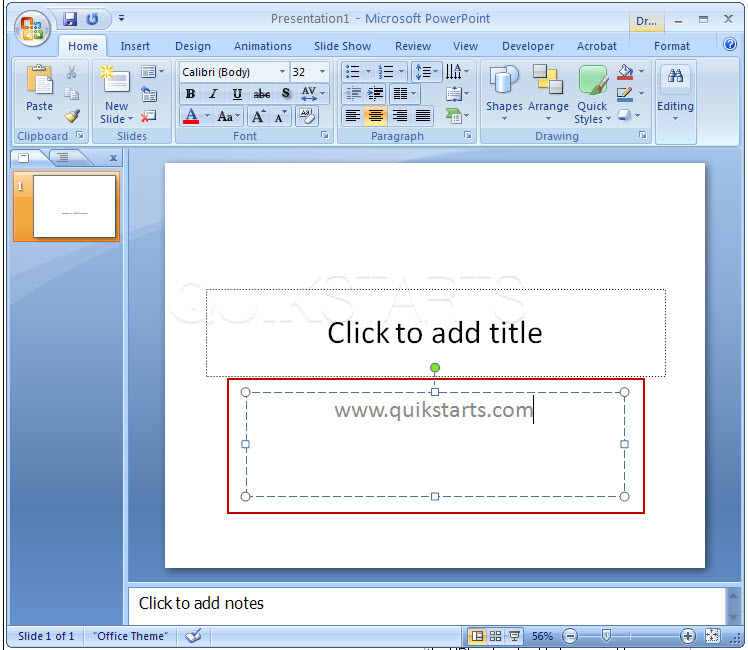
Type the URL into one of the text boxes in the document and be sure to include the www prefix.The URL should not be click-able and colored black as normal text.
Note :
In this example we use the default subtitle text box.
4
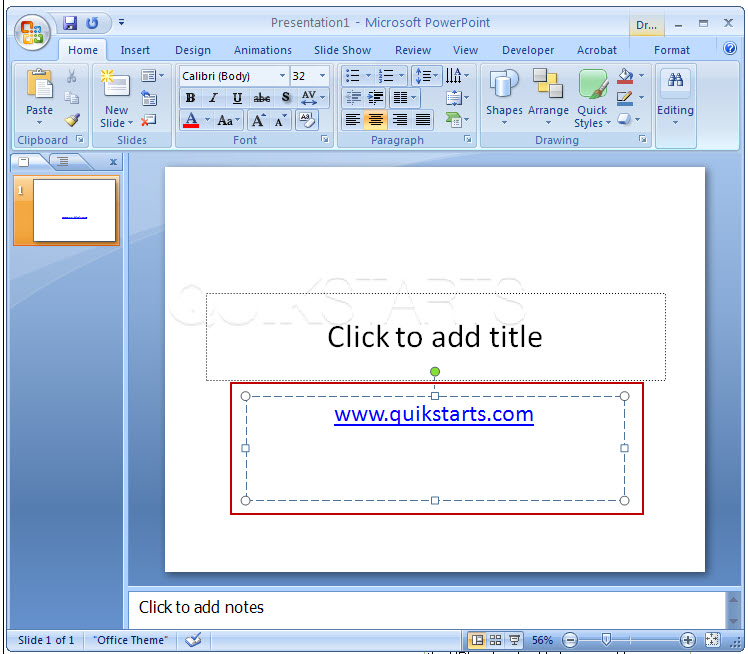
Press the "Space" bar following the URL and the URL color should change and become click-able.
5
To preview the URL further, click the "F5" key on the keyboard.

6
This task should be complete. Review the steps if you had any issues and try again.Submit questions or request for more guides in the questions section below.
comments powered by Disqus
 Ask a question or provide an answer