






This guide is part of the Windows xp series
1.
Enable Microsoft Netmeeting on windows xp
2. Find your ip address from the windows xp desktop
3. How to change screen resolution in Windows xp
4. How to find your ip address in windows xp
5. How to find your Mac address on windows xp
6. How to recover data with windows xp system restore
7. How to search for Excel files in Windows xp
8. How to search for PowerPoint files in Windows xp
9. How to search for Word files in Windows xp
10. How to turn off system restore in windows xp
2. Find your ip address from the windows xp desktop
3. How to change screen resolution in Windows xp
4. How to find your ip address in windows xp
5. How to find your Mac address on windows xp
6. How to recover data with windows xp system restore
7. How to search for Excel files in Windows xp
8. How to search for PowerPoint files in Windows xp
9. How to search for Word files in Windows xp
10. How to turn off system restore in windows xp
Make: Microsoft
Model / Product: XP
Version: SP3
Objective / Info: View and change the screen resolution.
Model / Product: XP
Version: SP3
Objective / Info: View and change the screen resolution.
1
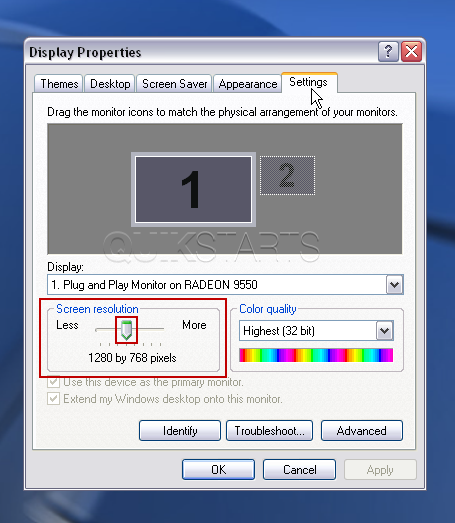
In the "Screen Resolution" section you can view the current settings. You can also change the resolution by clicking and dragging the slider left to reduce it or right to increase it. Note :
The number of options you see will depend on your video card and may not look like the image.
2
Click the "Settings" tab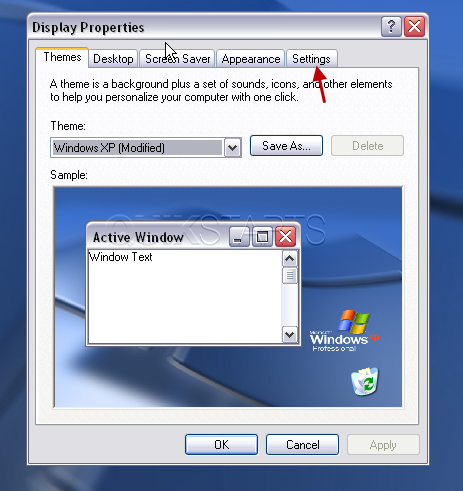
3
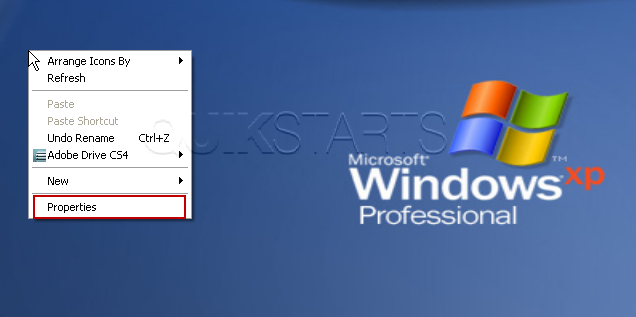
Click the "Properties" option.
4
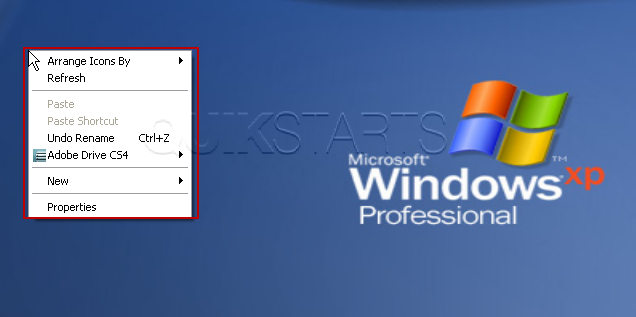
From the desktop, right click on and space except over an icon.
5
Click the "OK" when you're finished.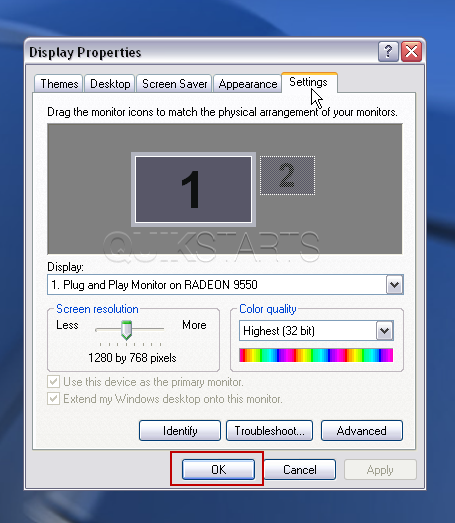
6
Your screen resolution should change and you should see a box asking you if you want to accept these changes. Press yest to accept, press no to reject. Note :
Clicking the "Apply" button should work the same with one exception, the setting would not be saved until the "OK" button is also clicked.


comments powered by Disqus
 Ask a question or provide an answer