





This guide is part of the Windows xp series
1. Enable Microsoft Netmeeting on windows xp
2. Find your ip address from the windows xp desktop
3. How to change screen resolution in Windows xp
4. How to find your ip address in windows xp
5. How to find your Mac address on windows xp
6. How to recover data with windows xp system restore
7. How to search for Excel files in Windows xp
8. How to search for PowerPoint files in Windows xp
9. How to search for Word files in Windows xp
10. How to turn off system restore in windows xp
2. Find your ip address from the windows xp desktop
3. How to change screen resolution in Windows xp
4. How to find your ip address in windows xp
5. How to find your Mac address on windows xp
6. How to recover data with windows xp system restore
7. How to search for Excel files in Windows xp
8. How to search for PowerPoint files in Windows xp
9. How to search for Word files in Windows xp
10. How to turn off system restore in windows xp
Make: Microsoft
Model / Product: NetMeeting
Version: 3
Objective / Info: Enable netmeeting on a computer running windows xp for the first time.
Model / Product: NetMeeting
Version: 3
Objective / Info: Enable netmeeting on a computer running windows xp for the first time.
1
Click the start menu on the desktop and select the "Run" option.
2
Type "Conf" into the field and click the "Ok" button.

3
The wizard should start. Click the "Next" button.

4
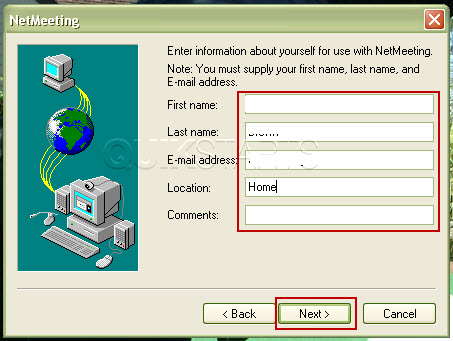
Complete the fields as you desire and click the "Next" button.
5
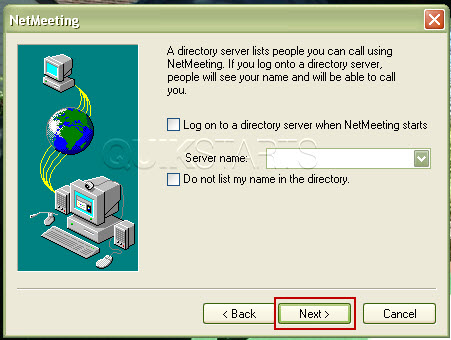
Click the "Next" button.
Note :
Select if you desire but these options are not required.
6
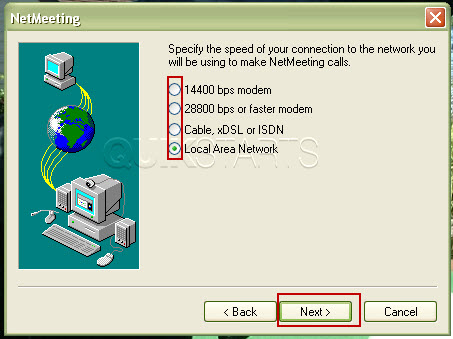
Select your speed. Click the "Next" button.
Note :
If you have a router, select that bottom option.
7
Click the "Next" button.
Note :
Select if you desire but these options are not required.
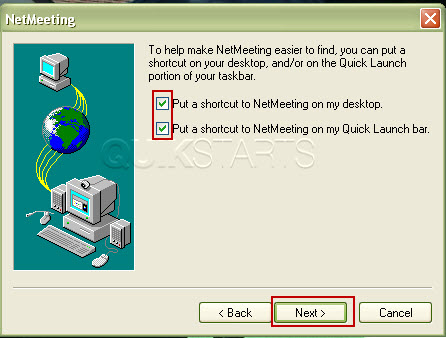
8
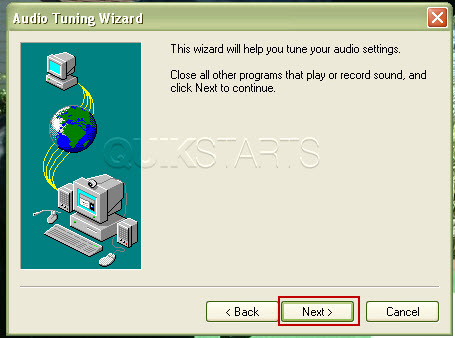
Audio tuning should begin. Click the "Next" button.
9
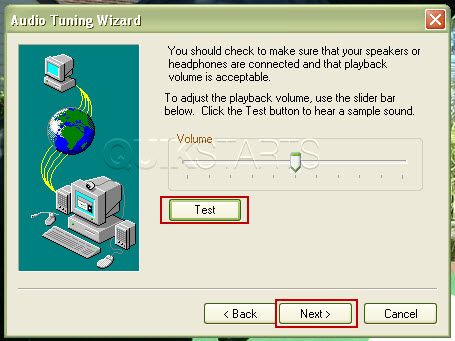
Press the "Test" button listen for the volume adjust as needed, then click the "Next" button.
10
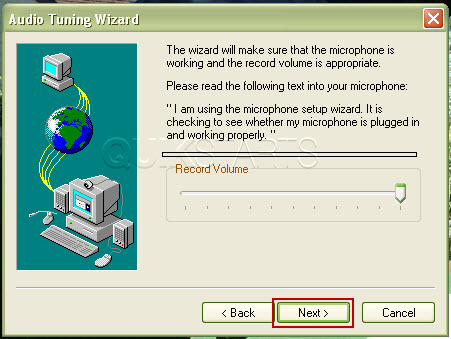
Speak into the microphone if you have one and adjust the volume levels, then click the "Next" button.
11
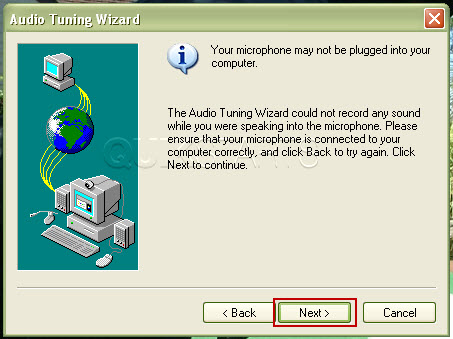
If you do not have a microphone, you may see this screen advising you of such. Click the "Next" button.
12
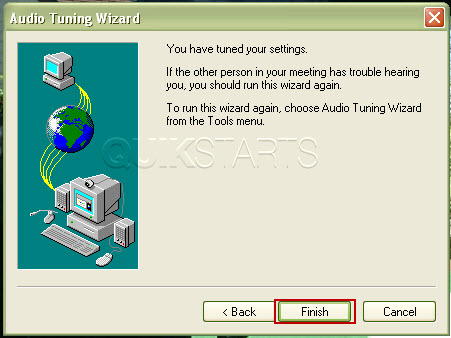
Your audio setup should now be complete. Click the "Finish" button.
13
Net meeting should now be enabled and ready to use. Reference other guides on this topic at the links above this article.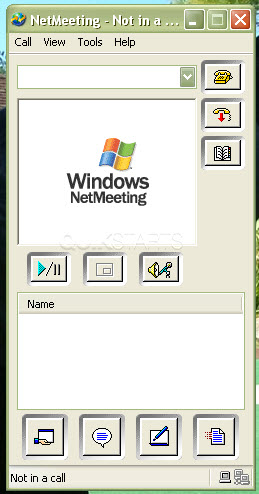

comments powered by Disqus
 Ask a question or provide an answer