





This guide is part of the Google Search series
1.
Get Google search results from a specific time
2. How to change the Google background
3. How to clear Google mobile web history
4. How to clear Google web history
5. How to enable google handwrite on a tablet
6. How to get USPS tracking information using google
7. How to open search results in a new browser window
8. How to search for movie show times in Google
9. How to search for royalty free images with Google
10. How to use Google define to search definitions
2. How to change the Google background
3. How to clear Google mobile web history
4. How to clear Google web history
5. How to enable google handwrite on a tablet
6. How to get USPS tracking information using google
7. How to open search results in a new browser window
8. How to search for movie show times in Google
9. How to search for royalty free images with Google
10. How to use Google define to search definitions
Make: Google
Model / Product: Mobile Search
Version: n/a
Objective / Info: Clear your Google search history on your Google account from a mobile device (Android G1). These steps should apply to any Android device. See en.wikipedia.org for more.
Model / Product: Mobile Search
Version: n/a
Objective / Info: Clear your Google search history on your Google account from a mobile device (Android G1). These steps should apply to any Android device. See en.wikipedia.org for more.
1
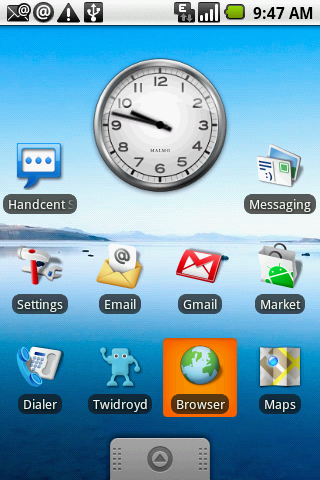
Open the web browser on your Android device and visit Google.com. Note :
If Google is not your default search engine you will need to type it in the address bar.
2
Sign in to your Google account by clicking the "Sign In" link.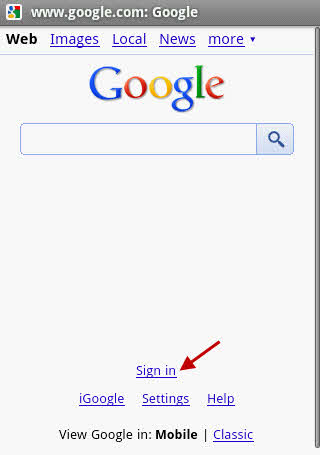
3
You should now see a set of links including one named "History". Click the "History" link.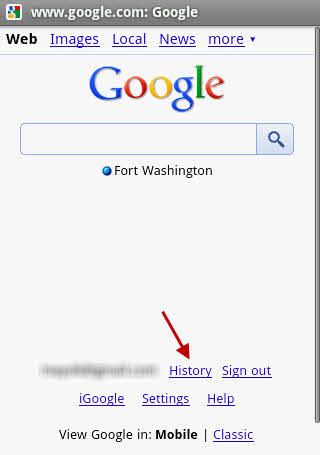
4
You should now see your Google search history displayed in the mobile format.
5
Click the "Edit" button.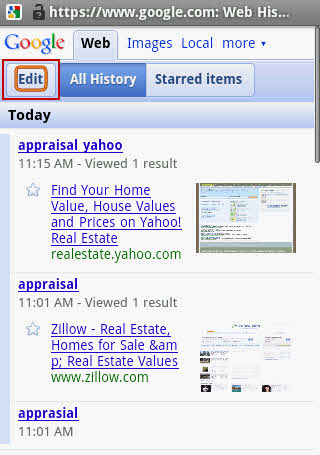
6
Click the X icon to the left of any of the items that you would like to remove from your search history.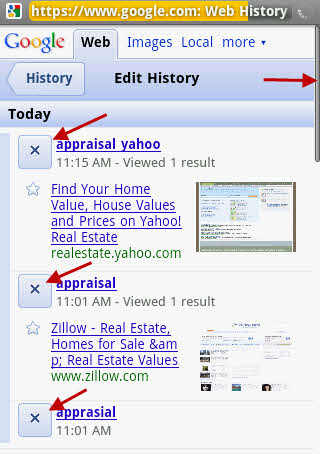
7
This task should now be complete. If it is not, review and repeat the steps.
comments powered by Disqus
 Ask a question or provide an answer