





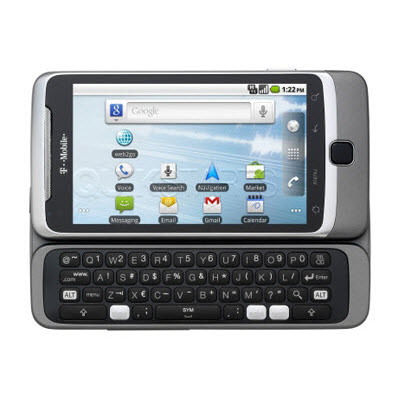
This guide is part of the G2 Phone series
1.
Change the SSID of your tethered G2 phone
2. How to activate the Facebook app on a G2 phone
3. How to check in on a g2 with Facebook
4. How to check your g2 operating system version
5. How to clear email search history on a g2
6. How to clear search history on a g2
7. How to create app shortcuts on a G2 phone
8. How to find your Mac address on your G2
9. How to perform a search for gmail on a g2
10. How to remove facebook app from the G2 desktop
2. How to activate the Facebook app on a G2 phone
3. How to check in on a g2 with Facebook
4. How to check your g2 operating system version
5. How to clear email search history on a g2
6. How to clear search history on a g2
7. How to create app shortcuts on a G2 phone
8. How to find your Mac address on your G2
9. How to perform a search for gmail on a g2
10. How to remove facebook app from the G2 desktop
Make: Google
Model / Product: T-Mobile G2
Version: Android 2.2
Objective / Info: Turn off a wifi connection on a G2 phone to a wireless wifi hotspot.
Model / Product: T-Mobile G2
Version: Android 2.2
Objective / Info: Turn off a wifi connection on a G2 phone to a wireless wifi hotspot.
1
Tap the Launcher icon on your G2 desktop.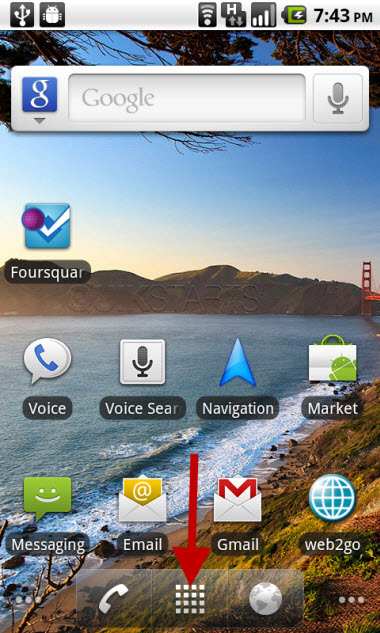
2
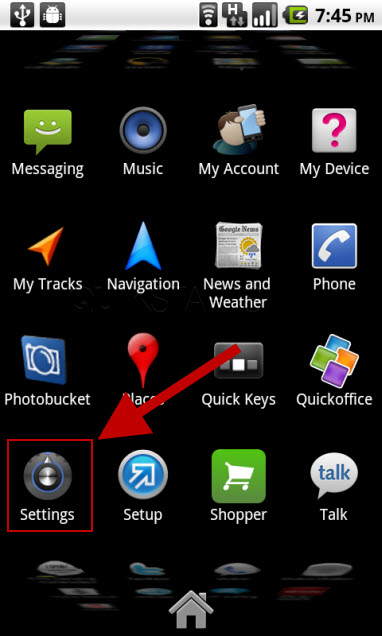
Tap the "Settings" icon. Note :
You may need to scroll down the screen to locate it.
3
Tap the "Wireless & networks" option.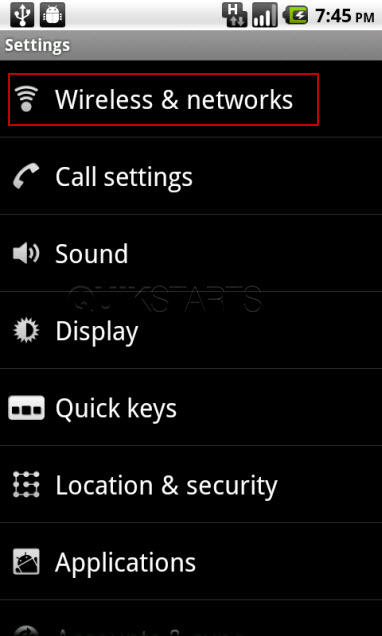
4
Tap the "Wi-Fi" option.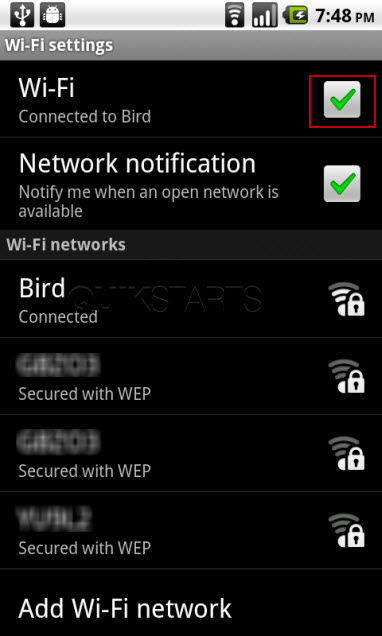
5
The wifi connection should disconnect and show a status of such. The wifi icon at the top of the G2 should disappear.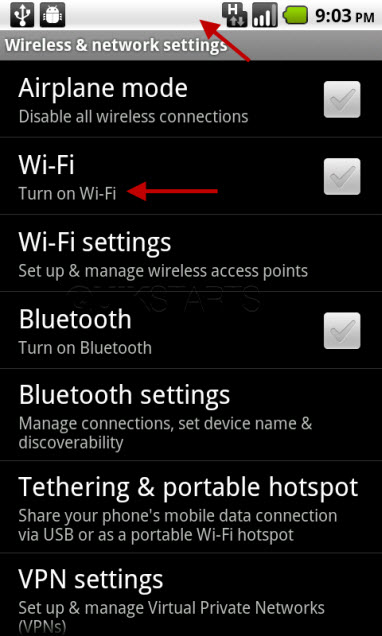
6
This task should now be complete. If not, review and repeat the steps as needed. Submit any questions using the section at the bottom of this page.
comments powered by Disqus
 Ask a question or provide an answer