






This guide is part of the ipad series
1.
How to add a Facebook button to the Ipad desktop
2. How to add a keyboard on Ipad mini
3. How to add appts to Calendar on ipad mini
4. How to add folders to the iPad
5. How to adjust the brightness level on the ipad
6. How to change the ipad email signature
7. How to change wifi networks on an ipad
8. How to change your ipad wallpaper
9. How to check your ip address on the ipad over Wifi
10. How to check your ipad ios version
2. How to add a keyboard on Ipad mini
3. How to add appts to Calendar on ipad mini
4. How to add folders to the iPad
5. How to adjust the brightness level on the ipad
6. How to change the ipad email signature
7. How to change wifi networks on an ipad
8. How to change your ipad wallpaper
9. How to check your ip address on the ipad over Wifi
10. How to check your ipad ios version
Make: Apple
Model / Product: iPad / iPad 2
Version: iOS 5.01
Objective / Info: Learn how to send a tweet directly from the native safari browser on an ipad.There must be a Twitter account setup on the ipad for these steps to work.
Model / Product: iPad / iPad 2
Version: iOS 5.01
Objective / Info: Learn how to send a tweet directly from the native safari browser on an ipad.There must be a Twitter account setup on the ipad for these steps to work.
1
Tap the Safari icon on the desktop.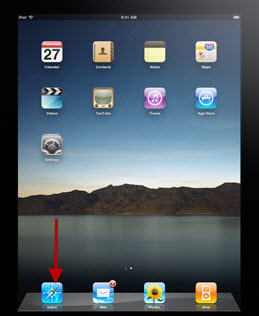
2
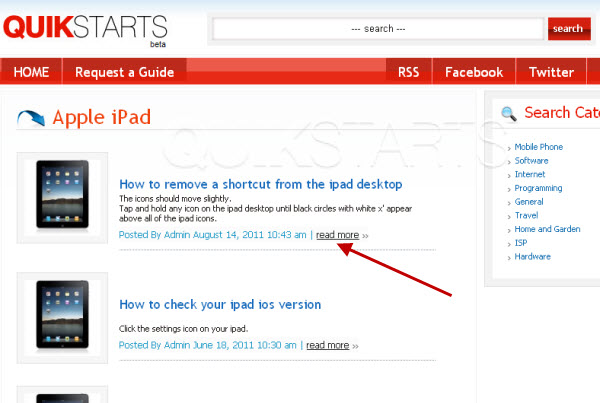
Visit any website of your choice that contains content that you would like to tweet.
Note :
In this example, we are using a guide from quikstarts.com about removing shortcuts from the ipad.
3
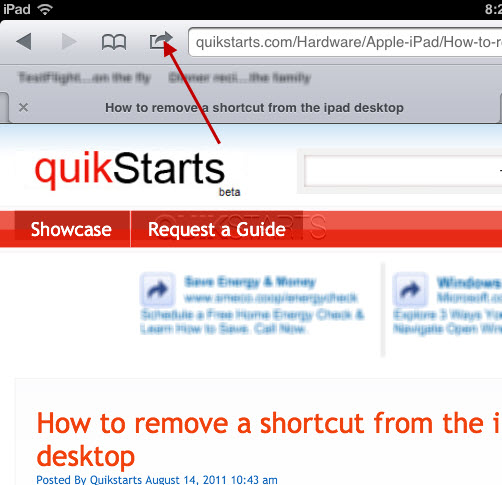
Tap the bookmark button on the menu bar.
4
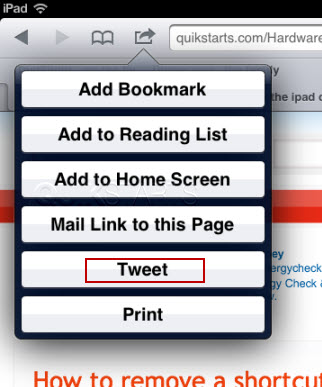
Tap the "Tweet" button. Note :
If you have not setup your twitter account on your ipad, you will receive an error message and will not be able to continue until one has been setup..
5
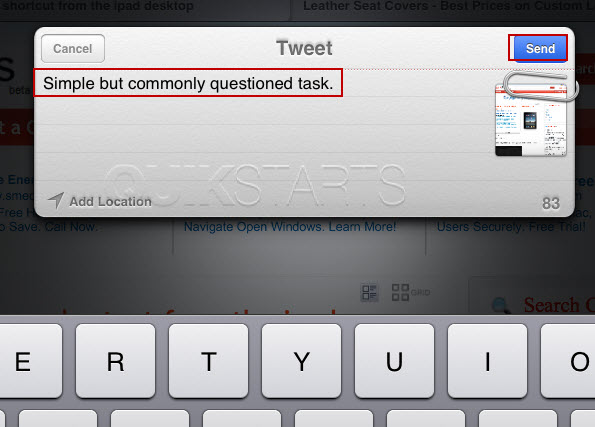
A popup box should appear. Enter the message that you would like to tweet and tap the "Send" button.
Note :
The url will automatically be added although it does not appear in the popup box.
6
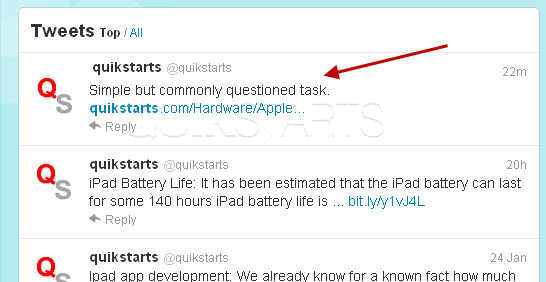
A tweeting sound should be played and the popup box should disappear. The tweet should have been sent to the Twitter timeline.
7
This task should now be complete. If not, review and repeat the steps as needed. Submit any questions using the section at the bottom of this page.
comments powered by Disqus
 Ask a question or provide an answer