






This guide is part of the Google Docs series
1.
Auto fit column width in Google docs spreadsheets
2. Change a date in a Google doc spreadsheet cell
3. Change the hyperlink color in a docs document
4. Change the slide speed in Google Docs presentation
5. Convert Google docs spreadsheet into a PDF file
6. Convert Google docs spreadsheet into an Excel file
7. Freeze top row when scrolling in Google Docs
8. How to add a bookmark in Google Docs
9. How to add a cell border in Google Sheets
10. How to add a column to a google docs spreadsheet
2. Change a date in a Google doc spreadsheet cell
3. Change the hyperlink color in a docs document
4. Change the slide speed in Google Docs presentation
5. Convert Google docs spreadsheet into a PDF file
6. Convert Google docs spreadsheet into an Excel file
7. Freeze top row when scrolling in Google Docs
8. How to add a bookmark in Google Docs
9. How to add a cell border in Google Sheets
10. How to add a column to a google docs spreadsheet
Make: Google
Model / Product: Docs
Version: Document
Objective / Info: Add a url to a Google docs document.
Model / Product: Docs
Version: Document
Objective / Info: Add a url to a Google docs document.
1
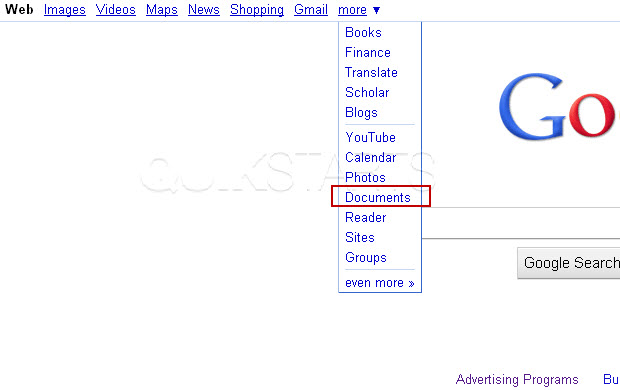
Launch Google Docs by visiting google.com, click the "more" menu option and select "Documents"
2
Select "Document" from the menu.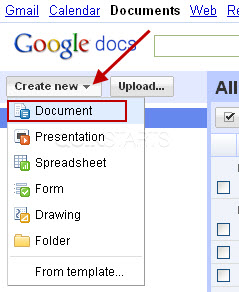
3
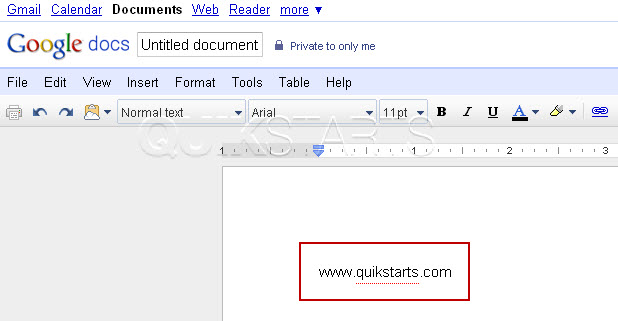
A new blank document should open. Type the URL into the document and be sure to include the www prefix.
4
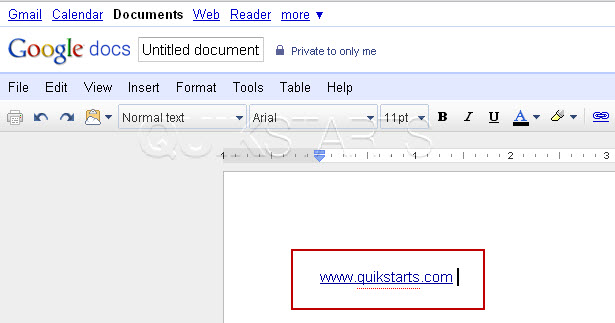
The URL should not be click-able and colored black as normal text. Press the space button following the URL and it should change color and become click-able.
5
This task should be complete, if not, review the steps and try again.
comments powered by Disqus
 Ask a question or provide an answer